If you want to connect to the Team Foundation Service (TFS Preview) API you are going to need some credentials in order to connect. That’s right, where do you expect to store your Live ID for connecting? Do you expect to add it to the windows credentials store? What about having the user manually add it? Both these options suck… so introducing the TFS Service Credential Viewer.

The TFS Service Credential Viewer connects to your Team Foundation Service account on http://tfspreview.com and using your credentials it retrieves credentials that you can use for an automated service to connect and authenticate correctly.
Download TFS Service Credential Viewer
The following prerequisites are required:
- Team Explorer 2012 Visual Studio 11 (any version)
- .NET 4.5
If these components are already installed, you can launch the application now. Otherwise, click install below to install the prerequisites and run the application.
install or launch via clickonce
How it works
Once you have authenticated as a TFS Collection Administrator to your hosted TFS Collection we use the Access Control Service to provision a service identity that you can use for unattended connections to Team Foundation Service (TFS Preview).

Figure: A quick #1, #2 to get your credentials
http://youtu.be/Fkn6V0 _zz28
Video: How to get your credentials
Troubleshooting
If you are using Windows 8 Consumer Preview you will not get an automatic launch of the application due to an extra security check for applications that come from the internet.
- Click or Press “Start” and Scroll all the way to the right
- Select the TFS Service Credential Viewer
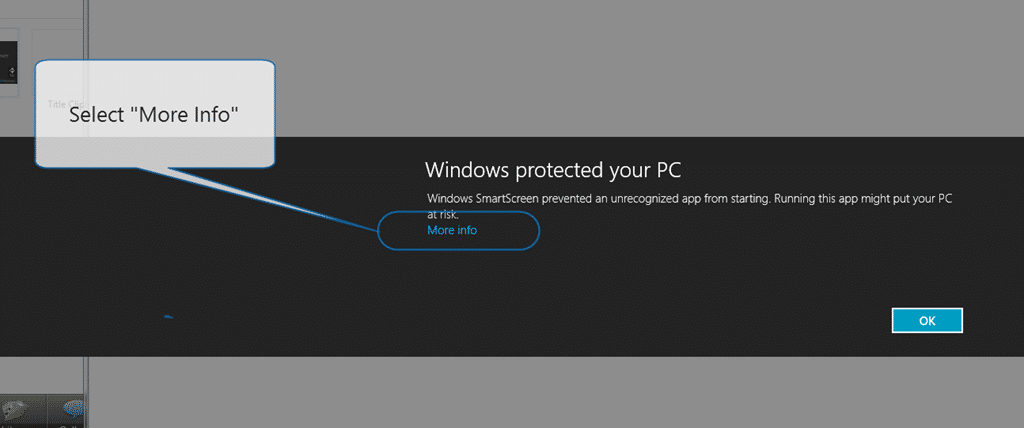
- When the security dialog pops up click “More Info”
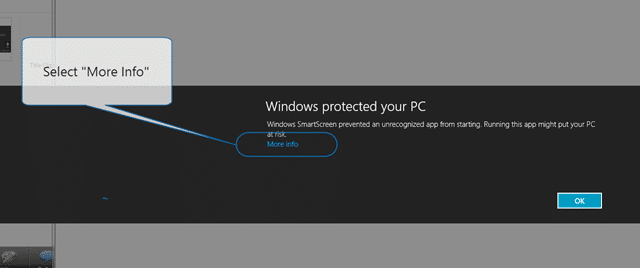 **Figure: Select More Info
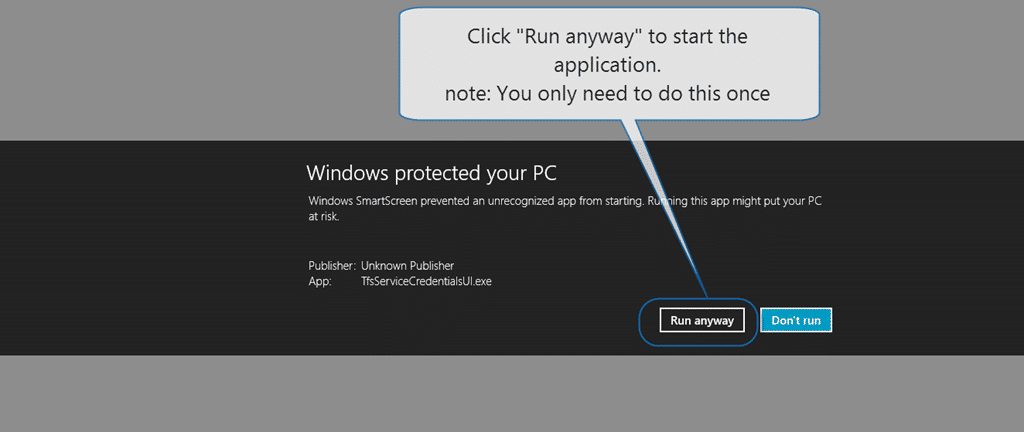
** - Click “Run anyway” to launch the application and add it to the safe list
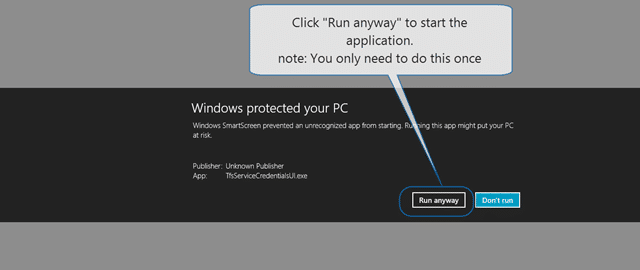 Figure;
 - Done
If you encounter an exception when clicking “Connect” the most likely cause if that you do not have Team Explorer 2012 installed
Smart Classifications
Each classification [Concepts, Categories, & Tags] was assigned using AI-powered semantic analysis and scored across relevance, depth, and alignment. Final decisions? Still human. Always traceable. Hover to see how it applies.
What to read next
Getting a service account for VSO with TFS Service Credential Viewer
Learn how to use TFS Service Credential Viewer to generate service accounts for Visual Studio Online, enabling secure, automated access …
Unit Testing against the Team Foundation Server 2012 API
Explains how to unit test applications against the Team Foundation Server 2012 API, focusing on handling authentication for automated and …
Detecting agile theatre with real delivery signals
Why Most Companies Operating Models Fail in Dynamic Markets
A concise comparison of Predictive and Adaptive Operating Models, explaining why traditional structures fail in dynamic markets and how …
Don’t Manage Dependencies, Remove Them
Explains why dependencies are a sign of poor system design and outlines steps to eliminate them by aligning teams, clarifying ownership, and …
The Estimation Trap: How Tracking Accuracy Undermines Trust, Flow, and Value in Software Delivery
Tracking estimation accuracy in software delivery leads to mistrust, fear, and distorted behaviours. Focus on customer value, flow, and …
Flow of Value vs Flow of Work – Misnomer or Useful Shorthand?
Compares “flow of value” and “flow of work” in Kanban, explaining why only validated outcomes count as value and stressing the need for …
Why Outsourcing DevOps Fails, and How Real Engineering Excellence Starts With Your Team
Avoid DevOps vendor lock-in, discover how true engineering excellence starts with partnership, not outsourcing. Ready to transform your …