Do you make lots of edits to your TFS Work Items? Do you ever look at a field in the UI and think…
last time I looked that was a 4? Why is it a 6? Who changed it?
if you have, then the TFS Field Annotate is for you. Connect to TFS, select a Work Item and see the history on a single field.
- Update 2013-01-16 - Now with added James Tupper features. James updated my code to include the ability to select multiple fields from TFS.

The TFS Field Annotator shows you just the changes to a particular field. So like the Source Code Annotate it gives you line level tractability with ease.
Download TFS Field Annotator
The following prerequisites are required:
- Visual Studio 2015 (any version)
- .NET 4.5
If these components are already installed, you can launch the application now. Otherwise, click install below to install the prerequisites and run the application.
install or launch via clickonce
How it works
Once you have connected to Your TFS 2010 or TFS 11 Collection you enter a Work Item Id to load all of the available fields and
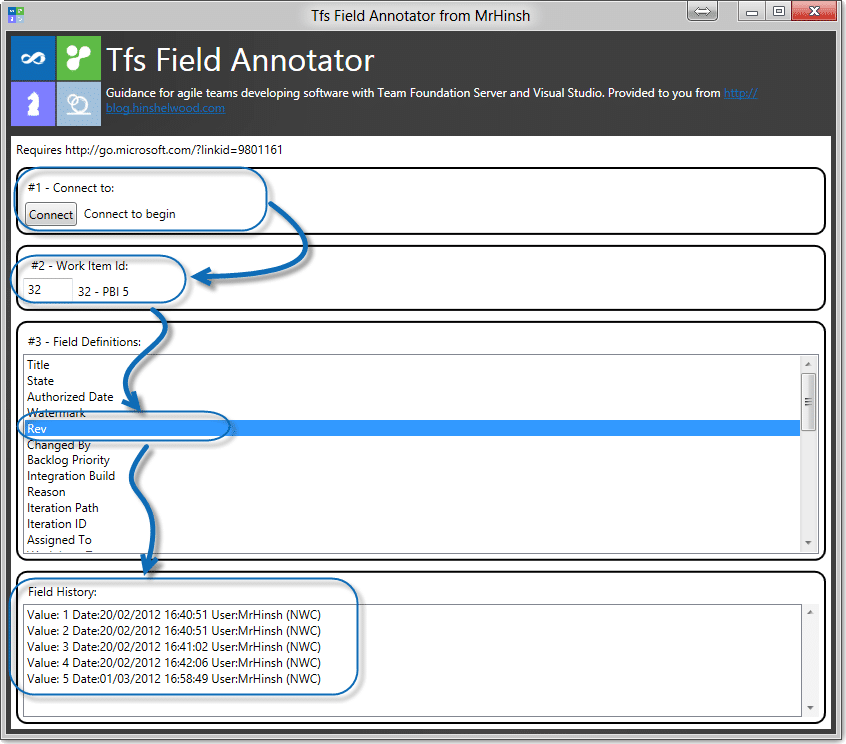
Figure: See who changed what more easily
Troubleshooting
If you are using Windows 8 Consumer Preview you will not get an automatic launch of the application due to an extra security check for applications that come from the internet.
- Click or Press “Start” and Scroll all the way to the right
- Select the TFS Field Annotator
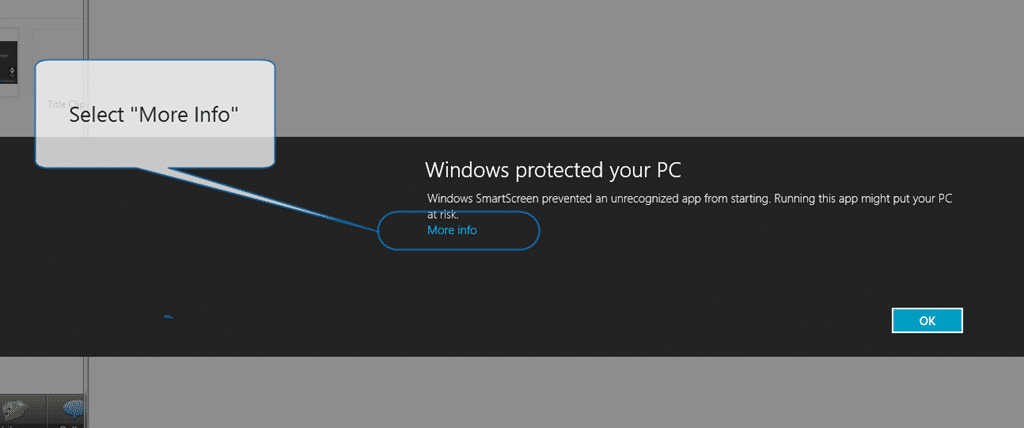
- When the security dialog pops up click “More Info”
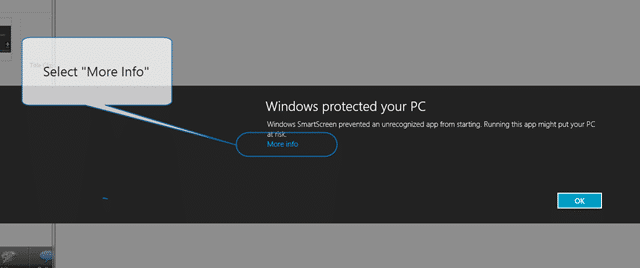 **Figure: Select More Info
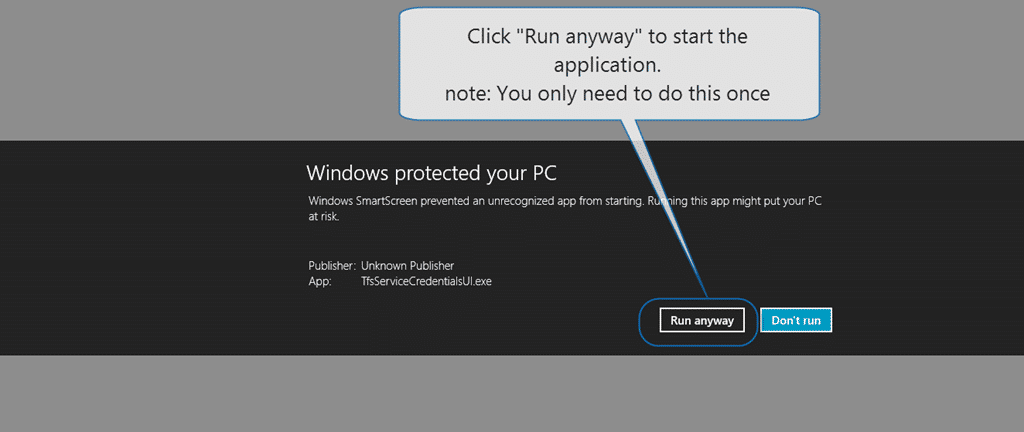
** - Click “Run anyway” to launch the application and add it to the safe list
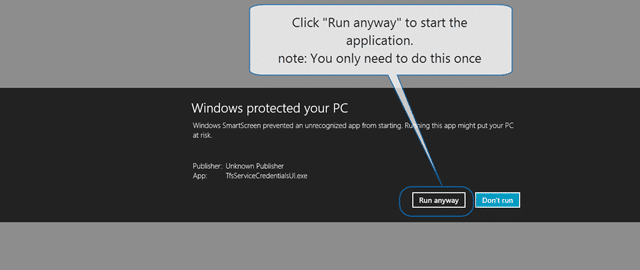 Figure: Just run it anyway… no sweat…
 - Done
What to read next
Detecting agile theatre with real delivery signals
Why Most Companies Operating Models Fail in Dynamic Markets
A concise comparison of Predictive and Adaptive Operating Models, explaining why traditional structures fail in dynamic markets and how …
Don’t Manage Dependencies, Remove Them
Explains why dependencies are a sign of poor system design and outlines steps to eliminate them by aligning teams, clarifying ownership, and …
The Estimation Trap: How Tracking Accuracy Undermines Trust, Flow, and Value in Software Delivery
Tracking estimation accuracy in software delivery leads to mistrust, fear, and distorted behaviours. Focus on customer value, flow, and …
Flow of Value vs Flow of Work – Misnomer or Useful Shorthand?
Compares “flow of value” and “flow of work” in Kanban, explaining why only validated outcomes count as value and stressing the need for …
Why Outsourcing DevOps Fails, and How Real Engineering Excellence Starts With Your Team
Avoid DevOps vendor lock-in, discover how true engineering excellence starts with partnership, not outsourcing. Ready to transform your …