
Sometimes when you setup TFS you find that your users, or just some of them, are being prompted for credentials. While manageable this is annoying and is not really related to TFS. This is an Active Directory thing and yes, there is a workaround…
The best way to fix this is to have your Active Directory administrator add your OWN domain to the list detected as internal and thus intranet. By default using just the server NETBIOS name will work anyway, but in this world of domain names http://tfs.company.com looks a lot better and is easier to remember than http://tfs . Its a brain thing… and it is a Kerberos thing, but don’t worry about that.
So, first, why is this happening?
 Figure: User Authentication on the Internet / Intranet
Its the default and it should be this way!
If you accidentally change this to allow authentication in all zones you may be exposing your username and password beyond the bounds of your internal network. This is not good.
So, if you want to fix this send this email to your Active Directory administrator or support desk:
Dear Admin,
Can you please make it so that all things that I access thorough the network as “*.mydomain.com” are classed as “intranet” so that I can authenticate correctly without having to enter my username and password every time. Can you also make sure that everyone i work with has the same setting applied automatically.
**
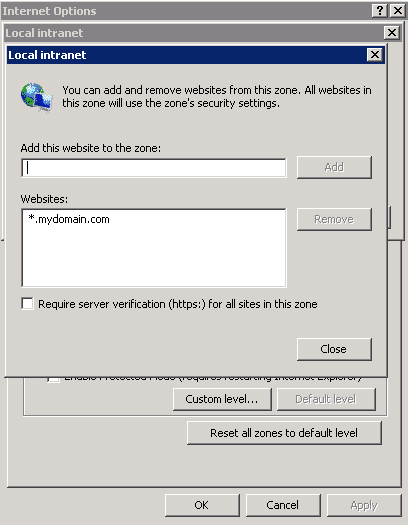
****Figure: Bad example, I should not have to do this locally**
Hint: you can do this by adding “*.mydomain.com” to the list of websites that are automatically in Internet Explorers “Intranet” list
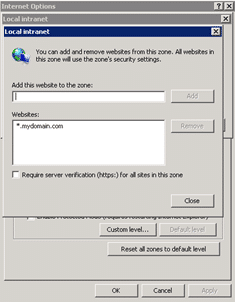
Figure: Good example, now i can authenticate
- Please can you change the domain policy to add this automatically to Internet Explorer
Thanks,
Frustrated local user



But, sometimes you get a less than prompt response. How can I solve this in the mean time, knowing that my Support team is working hard of fixing it permanently?
[screencast url=“http://www.screencast.com/t/PAx7VWfa3jn" width=“640” height=“360”] Screencast: Administering TFS 2010 - Always prompted for credentials?
But I just want the simple steps!
- Open IE
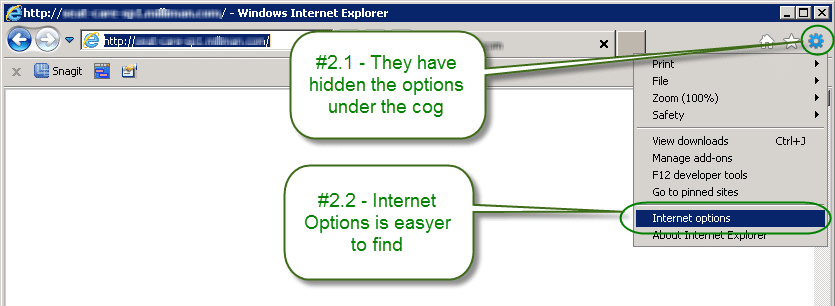
- Click “Tools | Internet Option…”
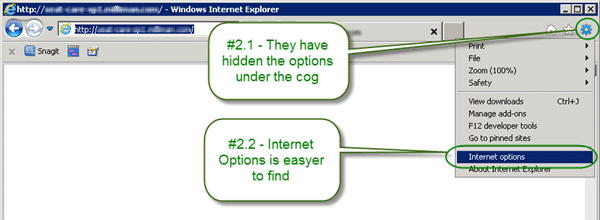 Figure: Internet Options is well hidden
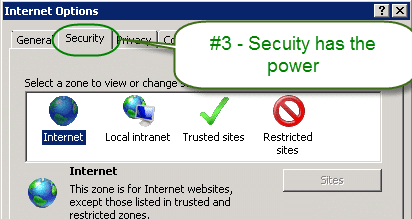
 - Go to “Security” tab.
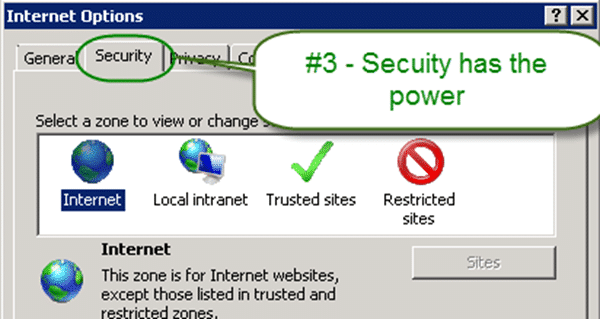 Figure: These settings apply to all internet access, not just IE
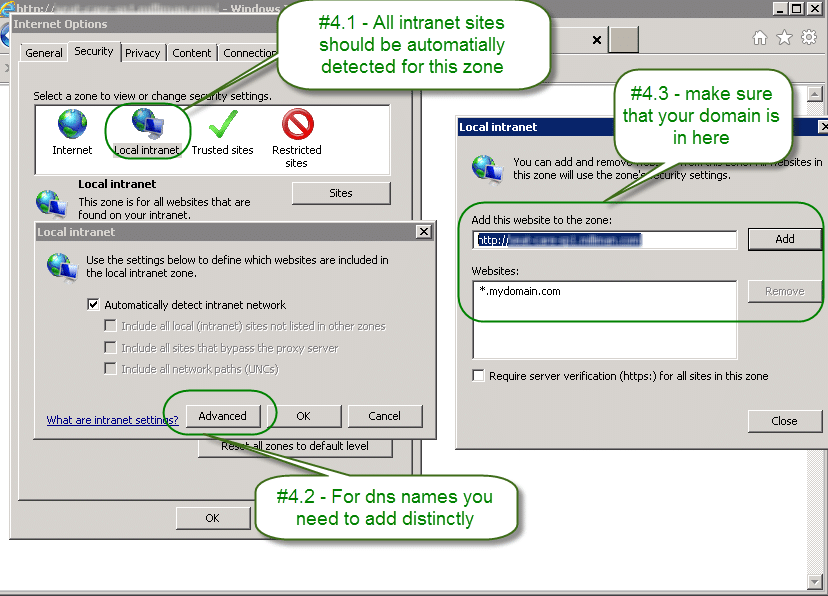
 - Select “Local Intranet | Sites | Advanced”
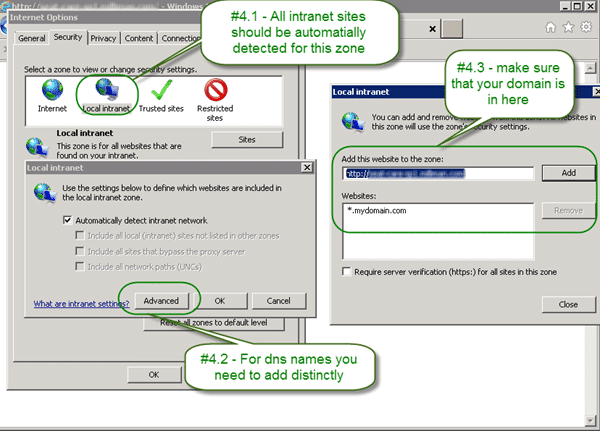 Figure: All useful options are hidden away
 - Confirm that “*.mydomain.com” is in the list and add it if it is not.
- Close all instances of Internet Explorer
Now when you open IE and go to any address that contains your company domain it will automatically pass through your Active Directory identity.
Smart Classifications
Each classification [Concepts, Categories, & Tags] was assigned using AI-powered semantic analysis and scored across relevance, depth, and alignment. Final decisions? Still human. Always traceable. Hover to see how it applies.
What to read next
Unit Testing against the Team Foundation Server 2012 API
Explains how to unit test applications against the Team Foundation Server 2012 API, focusing on handling authentication for automated and …
Detecting agile theatre with real delivery signals
Why Most Companies Operating Models Fail in Dynamic Markets
A concise comparison of Predictive and Adaptive Operating Models, explaining why traditional structures fail in dynamic markets and how …
Don’t Manage Dependencies, Remove Them
Explains why dependencies are a sign of poor system design and outlines steps to eliminate them by aligning teams, clarifying ownership, and …
The Estimation Trap: How Tracking Accuracy Undermines Trust, Flow, and Value in Software Delivery
Tracking estimation accuracy in software delivery leads to mistrust, fear, and distorted behaviours. Focus on customer value, flow, and …
Flow of Value vs Flow of Work – Misnomer or Useful Shorthand?
Compares “flow of value” and “flow of work” in Kanban, explaining why only validated outcomes count as value and stressing the need for …
Why Outsourcing DevOps Fails, and How Real Engineering Excellence Starts With Your Team
Avoid DevOps vendor lock-in, discover how true engineering excellence starts with partnership, not outsourcing. Ready to transform your …