No matter what permissions you set or what permissions you have you get a “TF30063: You are not authorized to access /Services/v3.0/LocationService.asmx” in SharePoint 2010.

Figure: Errors on the TFS components
And you have checked all of the usual suspects and even use the new TFS 2012 permission tracing features to no avail.
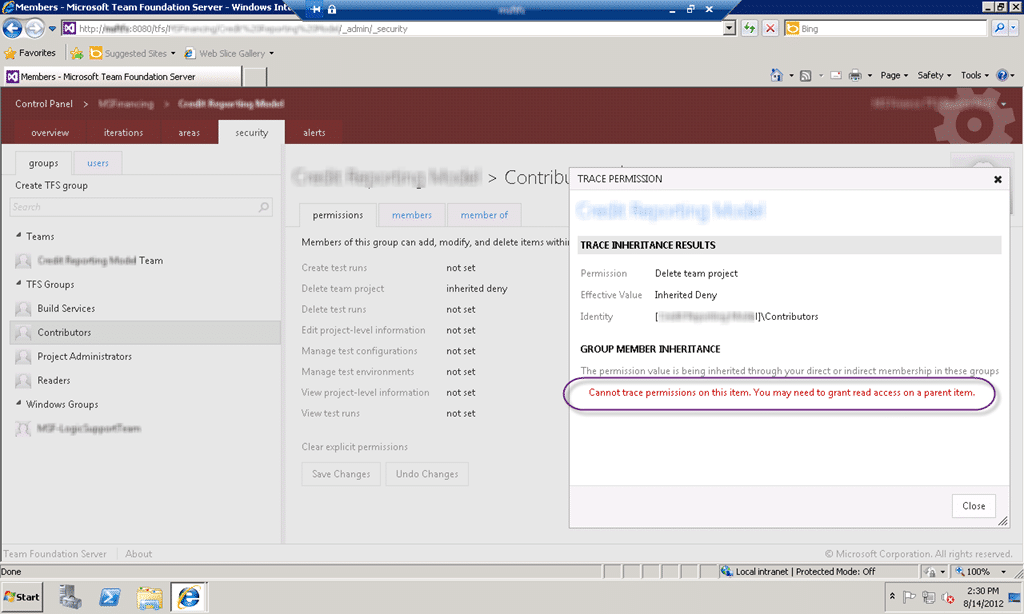
Figure: Cannot trace permissions on this item
Applies to
- Visual Studio 2012 Team Foundation Server
- Microsoft SharePoint 2010
Findings
I don’t know how unique my case is, but if you have searched the heck out of “TF30063: You are not authorized to access LocationService ” and you still can’t find the issue then it is simple.
You do not have permission to read items in TFS from SharePoint!

Figure: Ahhhhhhhhhh
But I am logged in as the TFS Service account, TFS Administrator account and a SharePoint Farm Admin… how many more permission do I need! Here is the deal… you have a “deny” in your permission list somewhere. Deny takes presidence over any other permission. So if you have a deny high up but an allow lower down then this is just tough… denied. And if it is doing this for all of your users regardless of permissions or groups then I have a suspension that there is some deny high up in TFS. There are only two groups that apply to everyone…
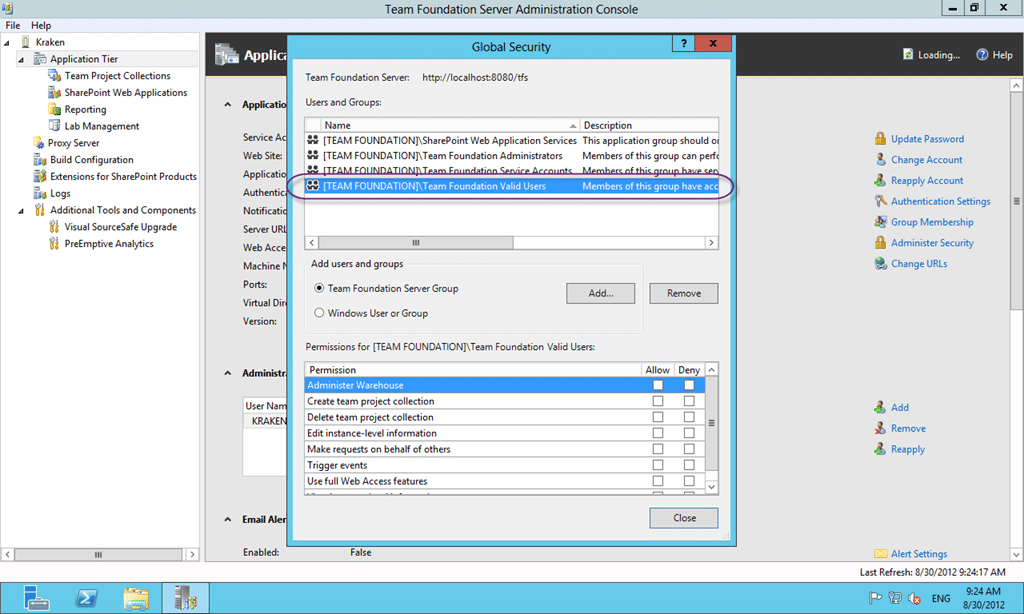
Figure: [TEAM FOUNDATION]Team Foundation Valid User
There are two places to look for global deny’s and that is the “Valid User” groups at either the server or at the collection level.
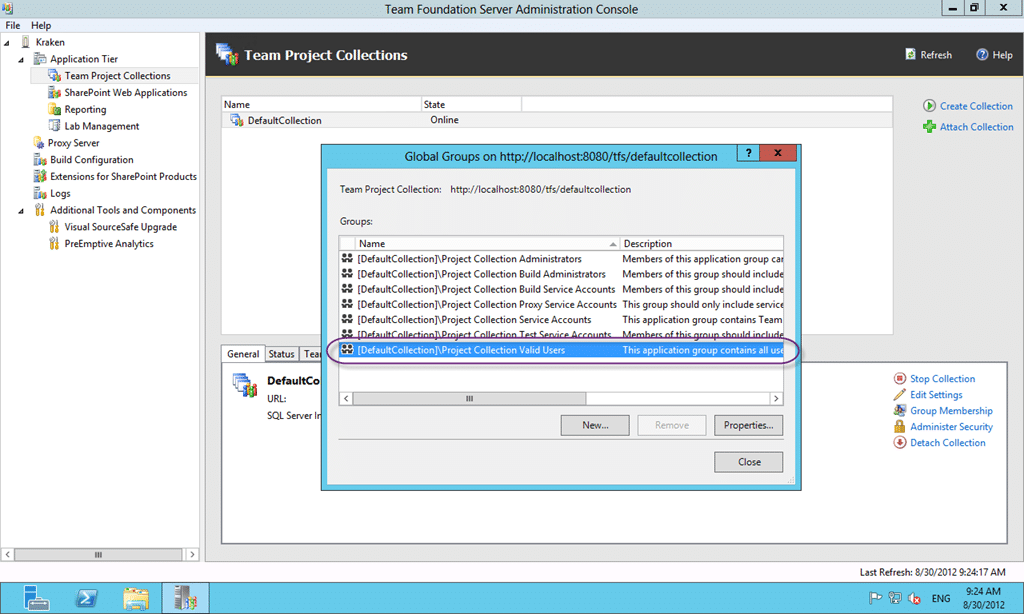
Figure: [DefaultCollection]Project Collection Valid Users
In this case we upgraded from Team Foundation Server 2008 to 2012 so any permissions carried over would be at the Collection level, so lets start there…

Figure: Really… denied at the Project Collection Level
I can’t imagine what was trying to be achieved by this… so I will leave you with…

Smart Classifications
Each classification [Concepts, Categories, & Tags] was assigned using AI-powered semantic analysis and scored across relevance, depth, and alignment. Final decisions? Still human. Always traceable. Hover to see how it applies.
What to read next
TFS 2012 - Issue: Manage Group Membership missing from admin after TFS 2008 to TFS 2012 Upgrade
Explains how to restore missing group membership management in TFS 2012 after upgrading from TFS 2008 by manually adding permissions using …
Access denied for orchestration plan on Build
Explains how to resolve TFS build errors caused by missing write permissions for the Project Collection Build Service on orchestration …
Detecting agile theatre with real delivery signals
Why Most Companies Operating Models Fail in Dynamic Markets
A concise comparison of Predictive and Adaptive Operating Models, explaining why traditional structures fail in dynamic markets and how …
Don’t Manage Dependencies, Remove Them
Explains why dependencies are a sign of poor system design and outlines steps to eliminate them by aligning teams, clarifying ownership, and …
The Estimation Trap: How Tracking Accuracy Undermines Trust, Flow, and Value in Software Delivery
Tracking estimation accuracy in software delivery leads to mistrust, fear, and distorted behaviours. Focus on customer value, flow, and …
Flow of Value vs Flow of Work – Misnomer or Useful Shorthand?
Compares “flow of value” and “flow of work” in Kanban, explaining why only validated outcomes count as value and stressing the need for …
Why Outsourcing DevOps Fails, and How Real Engineering Excellence Starts With Your Team
Avoid DevOps vendor lock-in, discover how true engineering excellence starts with partnership, not outsourcing. Ready to transform your …