When you try to call the binding command to map a Team Project Collection in Team Foundation Server 2012 to a Project Server 2013 Web Instance you can get a “TF294003” error.
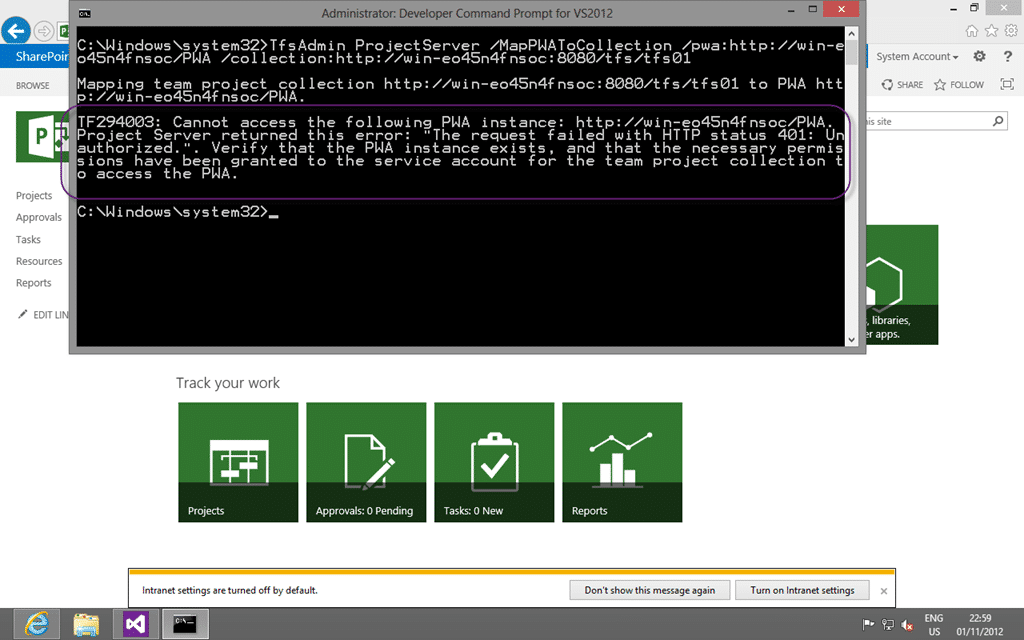
Figure: TF294003: Cannot access the following PWA instance
You get:
TF294003: Cannot access the following PWA instance: http://win-eo45n4fnsoc/PWA Project Server returned this error: “The request failed with HTTP status 401: Unauthorized.”. Verify that the PWA instance exists, and that the necessary permissions have been granted to the service account for the team project collection to access the PWA
Applies to
- Project Server 2013
- Team Foundation Server 2012
- Project Server Extensions for Team Foundation Server
Findings
If you have followed all of the directions in Assign Permissions to Support Integration of Project Server and Team Foundation Server but but you are still having issues you should check:
After consulting with that and many other sites I went spelunking on the servers and following all of the leads in the aforementioned sites. As it turns out I installed Team Foundation Server 2012 with the default options and this resulted in TFS running under the “NT AuthorityLocal Service” which does not have permission to SharePoint.
I was concentrating so much on making sure that the “BUILTINAdministrator” account, that I am using for everything else, has permission that I missed the account that TFS was using.
Solution
In this case it was simple to change the service account for Team Foundation Server to be the “BUILTINAdministrator” account instead of the “NT AuthorityLocal Service”.

Figure: Changing the TFS Account is easy
As I change the account TFS will nicely go off and update everything else for me. Including the Farm Administrators group.
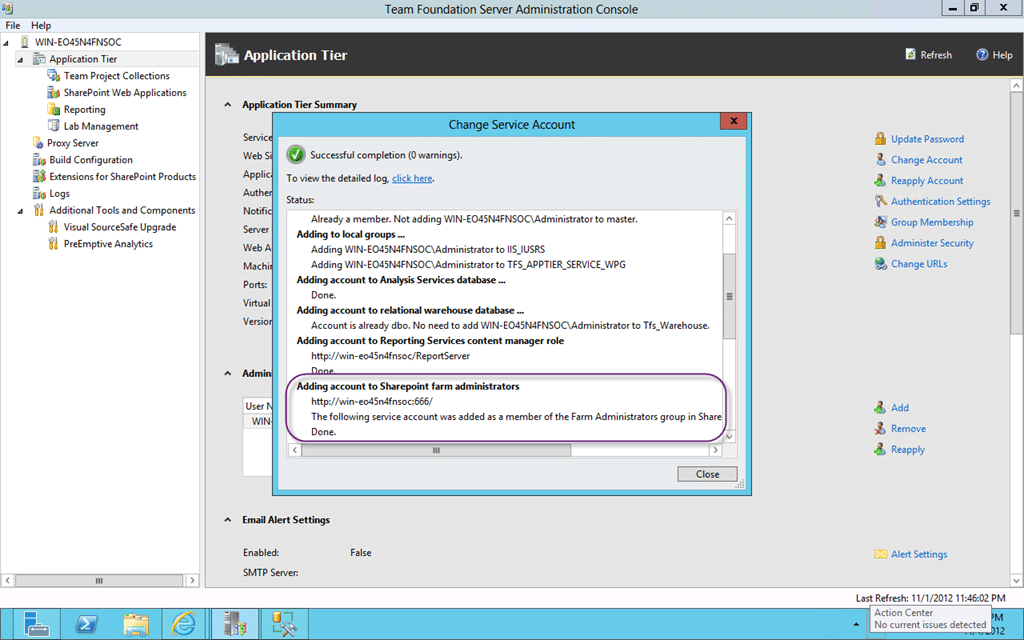
Figure: Updating the TFS Service Account everywhere
This got me to thinking that is I changes it back to “NT AuthorityLocal Service” it would do the same, and sure enough…
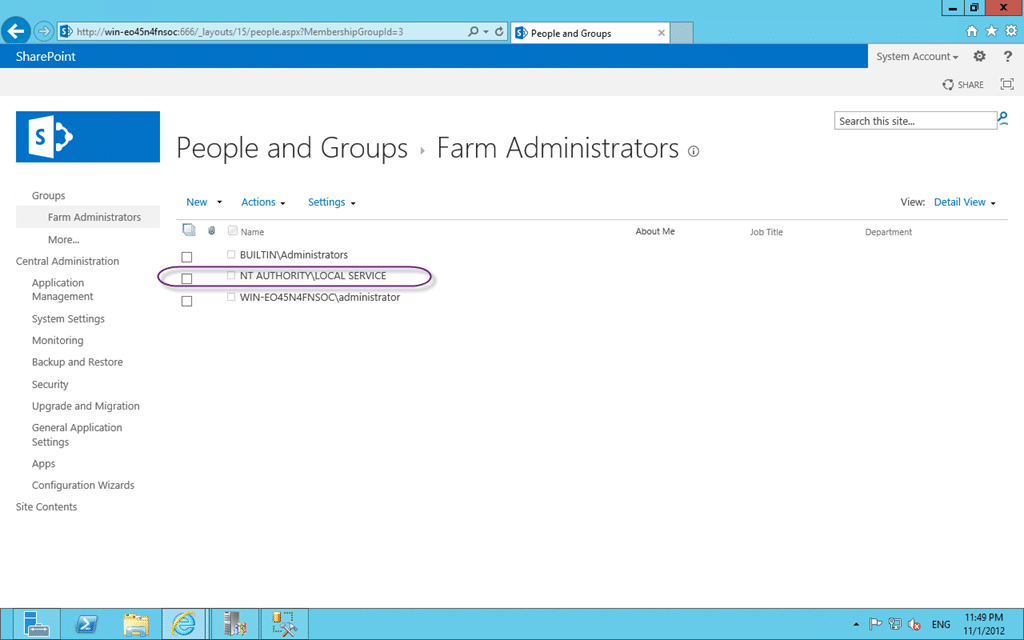
Figure: Local Service is now a Farm Administrator
I can almost hear generations of SharePoint administrator rolling over in their graves at this, but this is a demo box that I am using to prove out the technology and not a production setup  . You should always use a different Domain Account for every individual service in both TFS and SharePoint if it were…
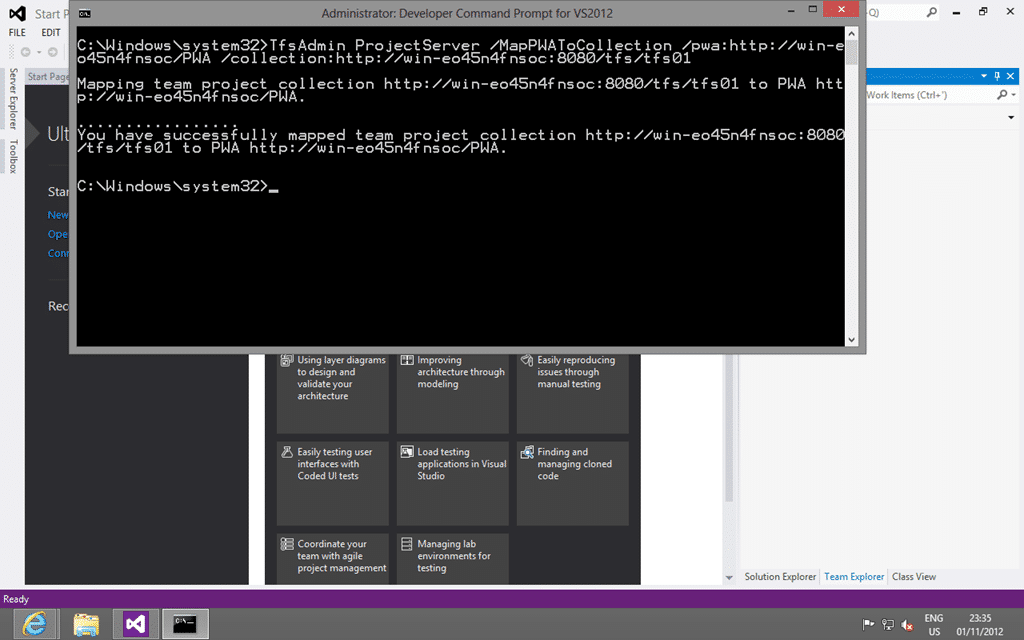
Figure: The mapping of Collection to Project Server 2013 Instance now works
This was a simple solution to a confusing problem…
Smart Classifications
Each classification [Concepts, Categories, & Tags] was assigned using AI-powered semantic analysis and scored across relevance, depth, and alignment. Final decisions? Still human. Always traceable. Hover to see how it applies.
What to read next
Access denied for orchestration plan on Build
Explains how to resolve TFS build errors caused by missing write permissions for the Project Collection Build Service on orchestration …
TFS 2012 - Issue: Manage Group Membership missing from admin after TFS 2008 to TFS 2012 Upgrade
Explains how to restore missing group membership management in TFS 2012 after upgrading from TFS 2008 by manually adding permissions using …
Detecting agile theatre with real delivery signals
Why Most Companies Operating Models Fail in Dynamic Markets
A concise comparison of Predictive and Adaptive Operating Models, explaining why traditional structures fail in dynamic markets and how …
Don’t Manage Dependencies, Remove Them
Explains why dependencies are a sign of poor system design and outlines steps to eliminate them by aligning teams, clarifying ownership, and …
The Estimation Trap: How Tracking Accuracy Undermines Trust, Flow, and Value in Software Delivery
Tracking estimation accuracy in software delivery leads to mistrust, fear, and distorted behaviours. Focus on customer value, flow, and …
Flow of Value vs Flow of Work – Misnomer or Useful Shorthand?
Compares “flow of value” and “flow of work” in Kanban, explaining why only validated outcomes count as value and stressing the need for …
Why Outsourcing DevOps Fails, and How Real Engineering Excellence Starts With Your Team
Avoid DevOps vendor lock-in, discover how true engineering excellence starts with partnership, not outsourcing. Ready to transform your …