If for some reason you need to re-install SharePoint 2010 as part of your TFS deployment you may get a “TF250052: Grant access rights already exists for the following Team Foundation Server URL: http://tfs01:8080/tfs . You should modify the existing access” but you don’t see anything in the existing list!
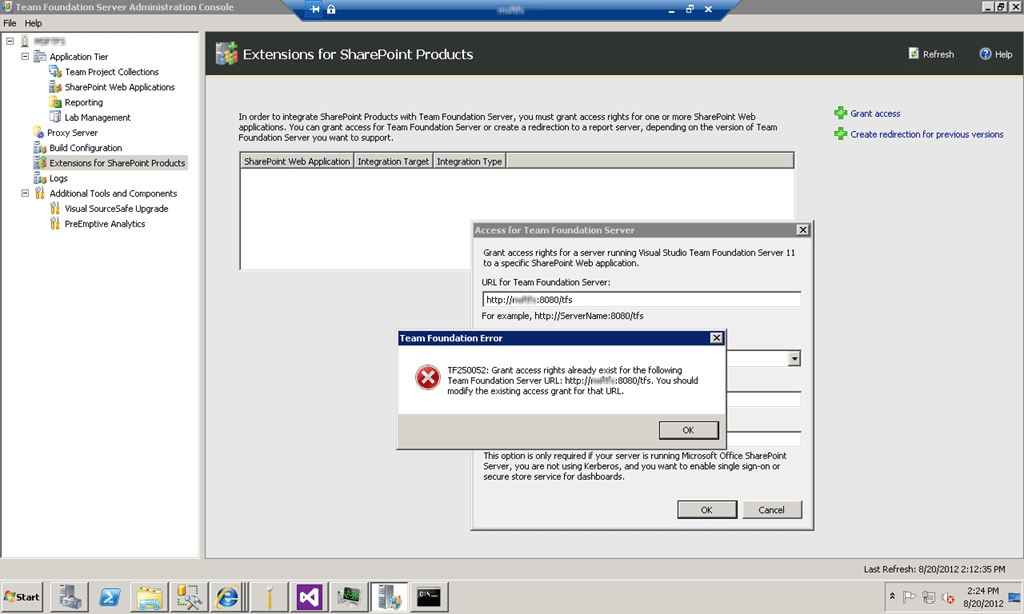
Figure: Um… where is the existing item and why the TF250052?
Applies to
- SharePoint 2010
- Visual Studio 2012 Team Foundation Server
Findings
Although it is not displayed the previous listing is still there. If you click “Refresh” at the top of the window it will magically appear..
Solution
Just click “OK” and then “Cancel”. Your display will then refresh with the entry listed! Phew..
Did this help you?
Smart Classifications
Each classification [Concepts, Categories, & Tags] was assigned using AI-powered semantic analysis and scored across relevance, depth, and alignment. Final decisions? Still human. Always traceable. Hover to see how it applies.
What to read next
Detecting agile theatre with real delivery signals
Why Most Companies Operating Models Fail in Dynamic Markets
A concise comparison of Predictive and Adaptive Operating Models, explaining why traditional structures fail in dynamic markets and how …
Don’t Manage Dependencies, Remove Them
Explains why dependencies are a sign of poor system design and outlines steps to eliminate them by aligning teams, clarifying ownership, and …
The Estimation Trap: How Tracking Accuracy Undermines Trust, Flow, and Value in Software Delivery
Tracking estimation accuracy in software delivery leads to mistrust, fear, and distorted behaviours. Focus on customer value, flow, and …
Flow of Value vs Flow of Work – Misnomer or Useful Shorthand?
Compares “flow of value” and “flow of work” in Kanban, explaining why only validated outcomes count as value and stressing the need for …
Why Outsourcing DevOps Fails, and How Real Engineering Excellence Starts With Your Team
Avoid DevOps vendor lock-in, discover how true engineering excellence starts with partnership, not outsourcing. Ready to transform your …