The first time you log into TFS 2012 you may see the message “Some features of Team Web Access are not visible to you” and once you check out the details you see that “In order to use all the features of Team Web Access, you must have the correct license and configuration. For more information”.
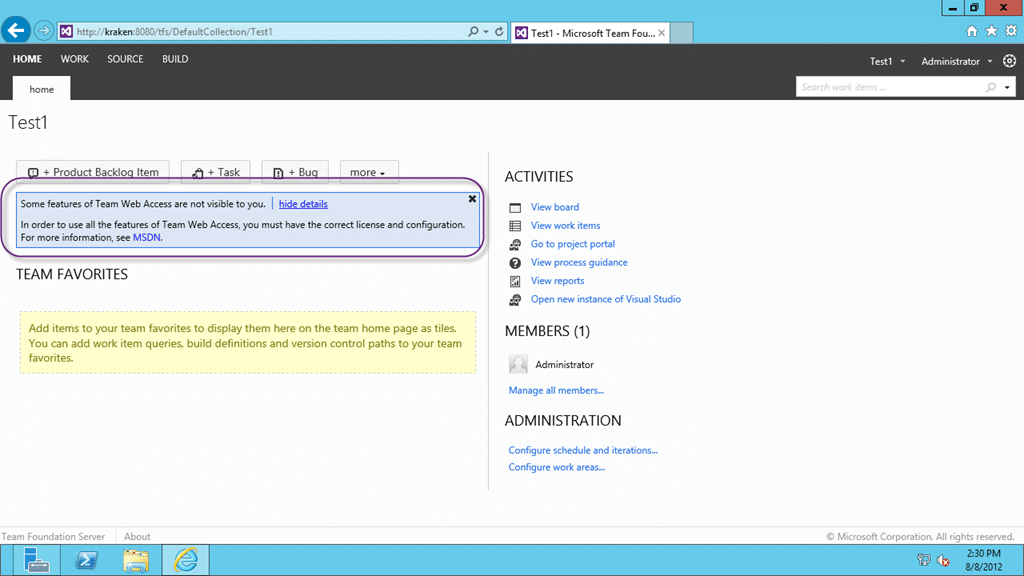
Figure: Where are my features?
Applies to
- Visual Studio 2012 Team Foundation Server
Findings
Just because you are an administrator does not mean that you have access to all of the features. Features require licences and licences require money. All you need to administer TFS is a CAL ($300), but some features require Premium ($5000) or even Ultimate (~$12,000) MSDN licences so don’t expect it. There are a few features that only exist in the higher SKU’s and there are three levels:
- Limited
- View My Work Items
- Standard
- View My Work Items
- Standard Features
- Agile Boards
- Full
- View My Work Items
- Standard Features
- Agile Boards
- Backlog and Sprint Planning Tools
- Request and Manage Feedback
Some of these are only available through the site and the site does not know what MSDN licence you have bought.
Solution
You need to add individuals to the Licence groups that relate to the respective licencing level that they have purchased.
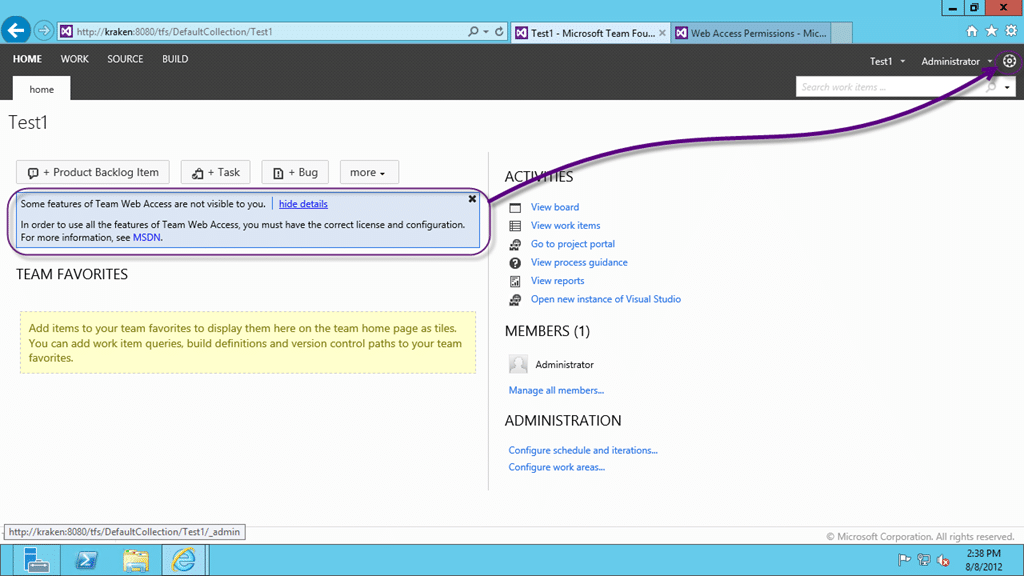
Figure: Go to Administer Server
Open the Admin system and change the Web Access Permissions from “Control Panel | Web Access | Full | Add…” and add the users that have Premium or Ultimate licences to that group.
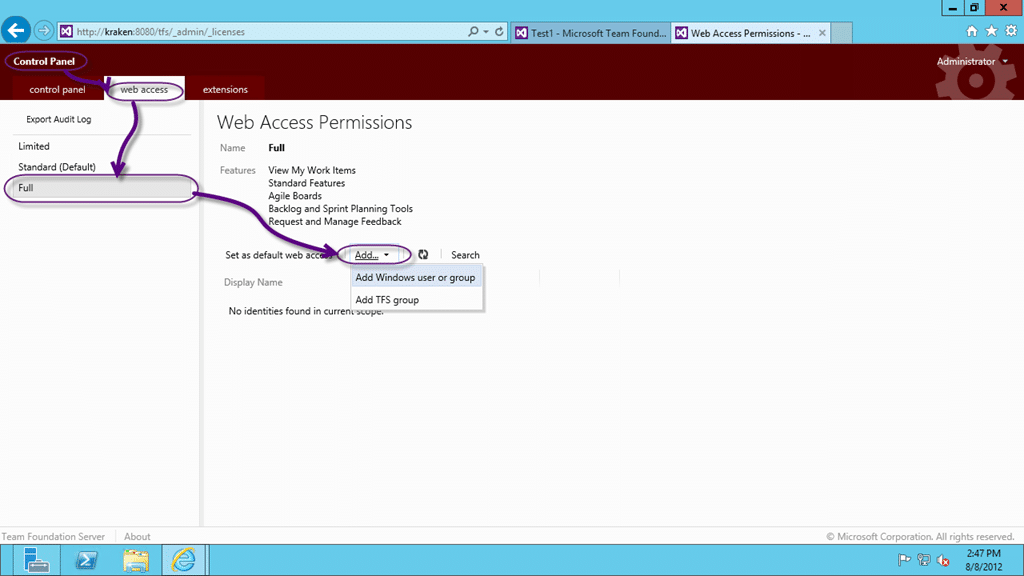
Figure: Add Premium and Ultimate user to Full feature access
If you are sure that you have Premium, Ultimate or Test Professional for all of your users you can just set “Full” access as the default!
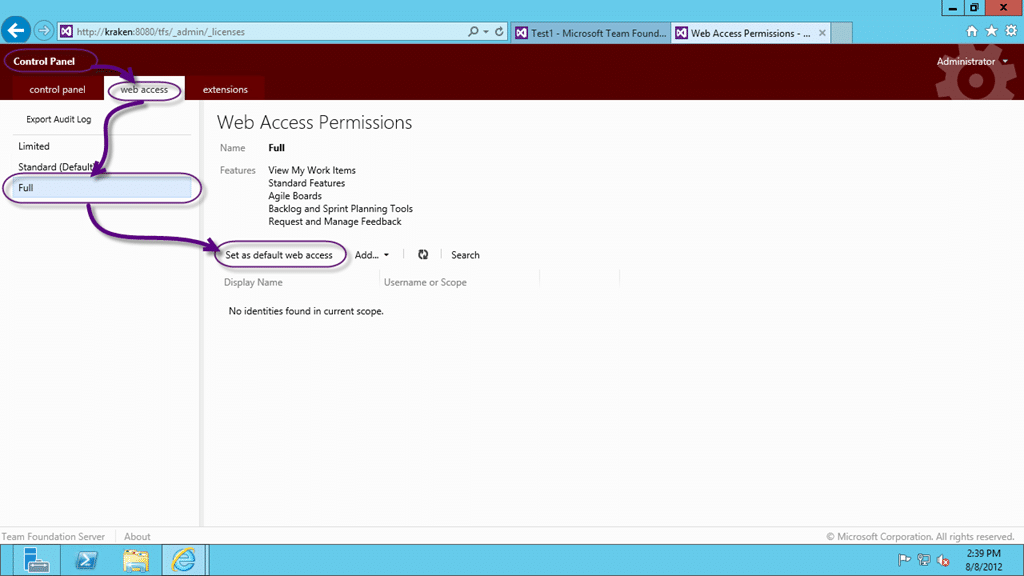
Figure: You can also Set as default
If you are going to do this you need to make sure that you have licences, but it will make an administrators life a little easier!
Did this fix your problem?
Smart Classifications
Each classification [Concepts, Categories, & Tags] was assigned using AI-powered semantic analysis and scored across relevance, depth, and alignment. Final decisions? Still human. Always traceable. Hover to see how it applies.
What to read next
TFS 2012 - Issue: Manage Group Membership missing from admin after TFS 2008 to TFS 2012 Upgrade
Explains how to restore missing group membership management in TFS 2012 after upgrading from TFS 2008 by manually adding permissions using …
Detecting agile theatre with real delivery signals
Why Most Companies Operating Models Fail in Dynamic Markets
A concise comparison of Predictive and Adaptive Operating Models, explaining why traditional structures fail in dynamic markets and how …
Don’t Manage Dependencies, Remove Them
Explains why dependencies are a sign of poor system design and outlines steps to eliminate them by aligning teams, clarifying ownership, and …
The Estimation Trap: How Tracking Accuracy Undermines Trust, Flow, and Value in Software Delivery
Tracking estimation accuracy in software delivery leads to mistrust, fear, and distorted behaviours. Focus on customer value, flow, and …
Flow of Value vs Flow of Work – Misnomer or Useful Shorthand?
Compares “flow of value” and “flow of work” in Kanban, explaining why only validated outcomes count as value and stressing the need for …
Why Outsourcing DevOps Fails, and How Real Engineering Excellence Starts With Your Team
Avoid DevOps vendor lock-in, discover how true engineering excellence starts with partnership, not outsourcing. Ready to transform your …