If you say my post on “TFS Integration Tools - Issue: TF10141 No Files checked in as a result of a TFS check-in failure” which I just updated you will know that I messed up the conflict resolution by mixing up the “Source Version” and “Target Version”.

Figure: Mixing up the Source and Target context
Because the context we are talking here is the Conflict and not the Migration the Source Version represents the source of the conflict. Which in this case, as we are completing a checkin is the Migration Target.
The source is the “Source Version” is the “Migration Target” and the “Target Version” is the “Migration Source”. wtf! … WTF!
-MrHinsh upon realisation
So what is the result and how come I realised. Well, after resolving this conflict I re-ran the migration with my figures crossed (did I mention that this was 14 hours into a 14hour migration) and then.. bang…
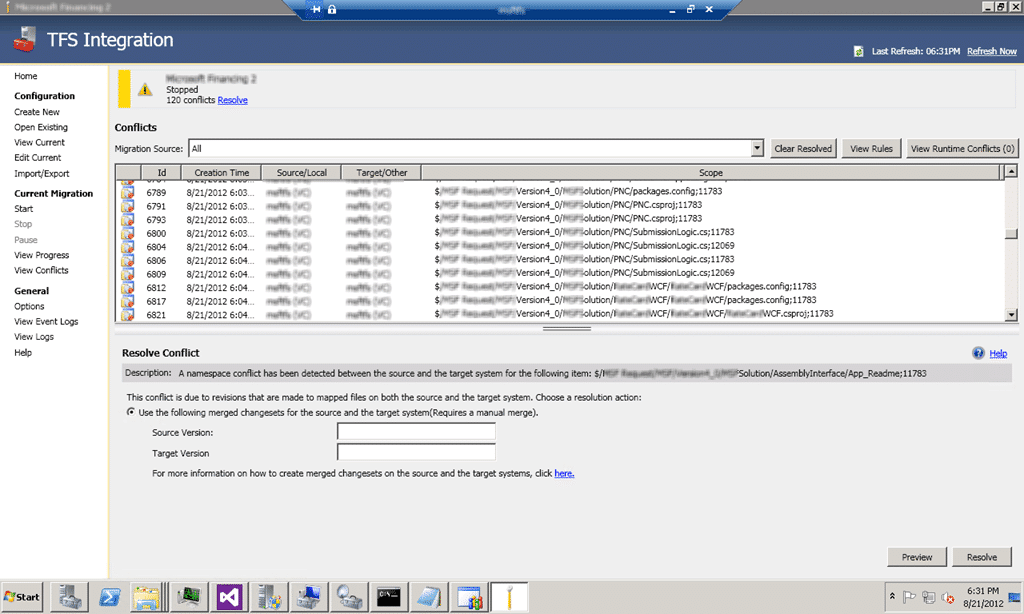
Figure: Conflict after conflict after conflict…
So now I have ~80 VC Namespace Conflicts and ~40 VC Content Conflicts…
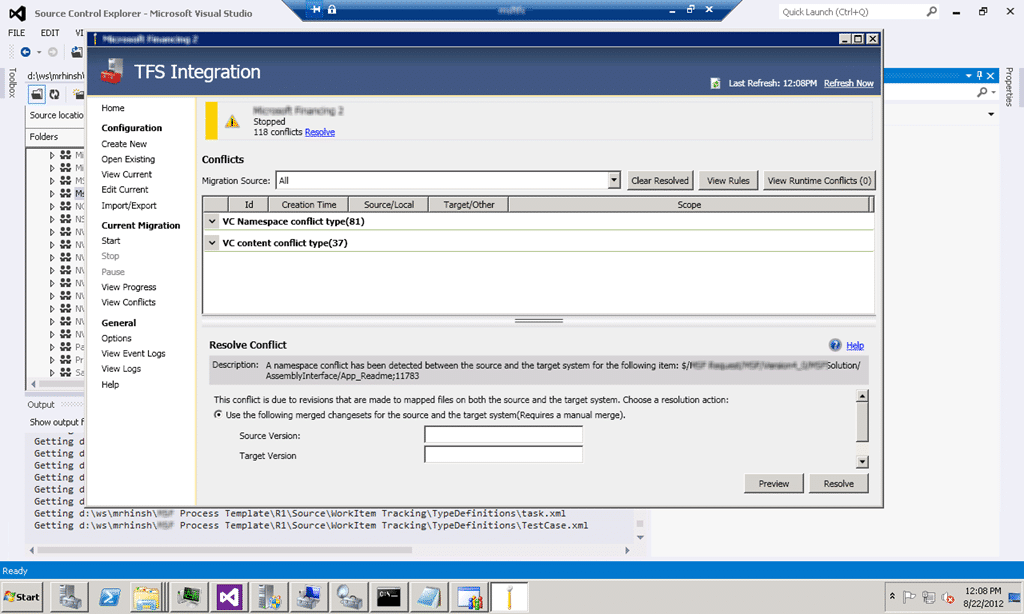
Figure: My ineptitude results in many more conflicts
Now I need to figure out to solve the problem so I am turning to the experts…
After talking at length with Jameson Miller , Bill Essary, Taylor Lafrinere , Curtis Pettit (you need to post more) & Bill Barnett from Microsoft’s Developer Division and experts on the TFS Integration Tools with some log spelunking thrown in we have an answer.
Because I horked up conflict resolution rule all changes after I entered it are in a conflicted state. So “all” I have to do is undo the rule which will get the TFS Integration Platform to refresh and re-analyse its list of pending changes and I should get back to the original conflict.
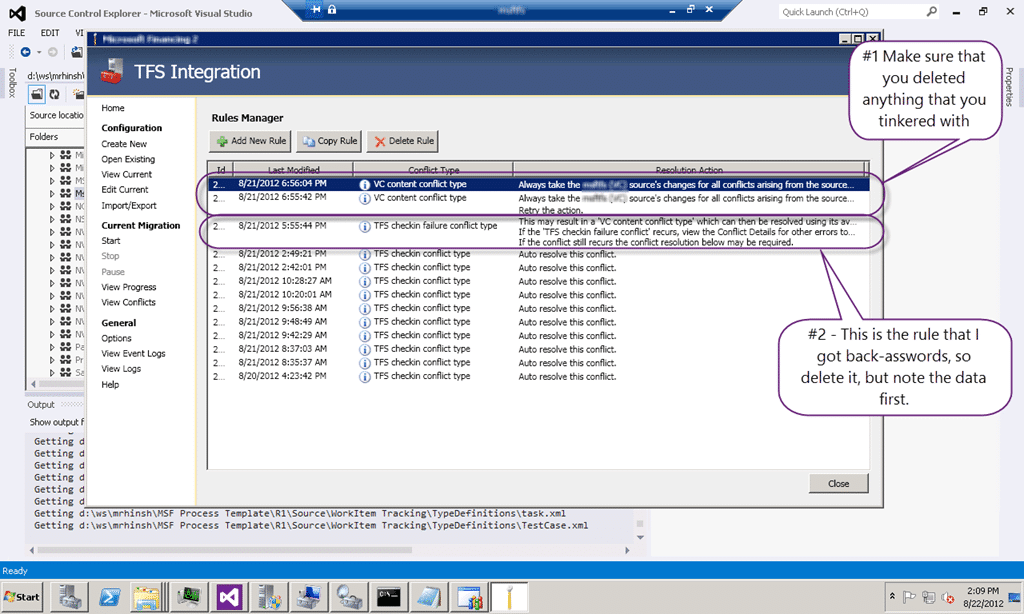
Figure: Messed up rules to be deleted
Once I have deleted the offending rules I should be able to “Start” the current migration again and hopefully get back to a state before I messed up the Source / Target things… Aw… dang it…

Figure: Nope, no dice with the restart
There is only one last forlorn hope, from TFS Integration Platform – I have just moved my VC content, now I want to sync from a specific snapshot … now what? that will allow me to create a brand new session, but have it start from Migration Source checkin 11783 and Migration Target checkin 25308 in the target path.
Figure: New config.. note the Shapshot data
With the snapshots added to the config we should be good to go… cross your fingers and hope…
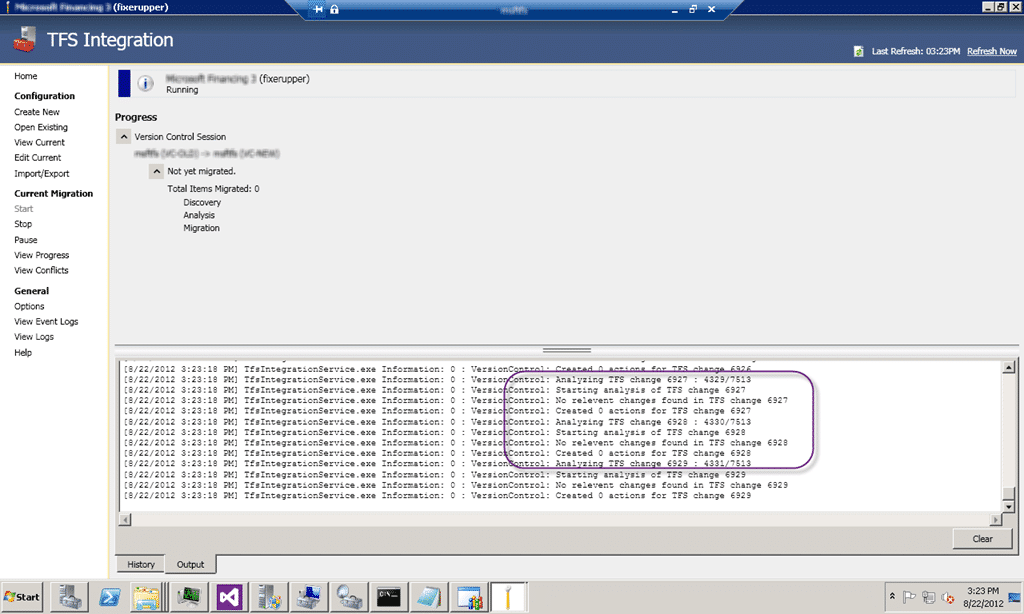
Figure: Looks ok so far.
It looks like the Integration Platform is running through its usual and skipping over all of the items before the snapshot. I will not know if it worked until it gets all the way to the end as I only have about 90 changes left to come across…
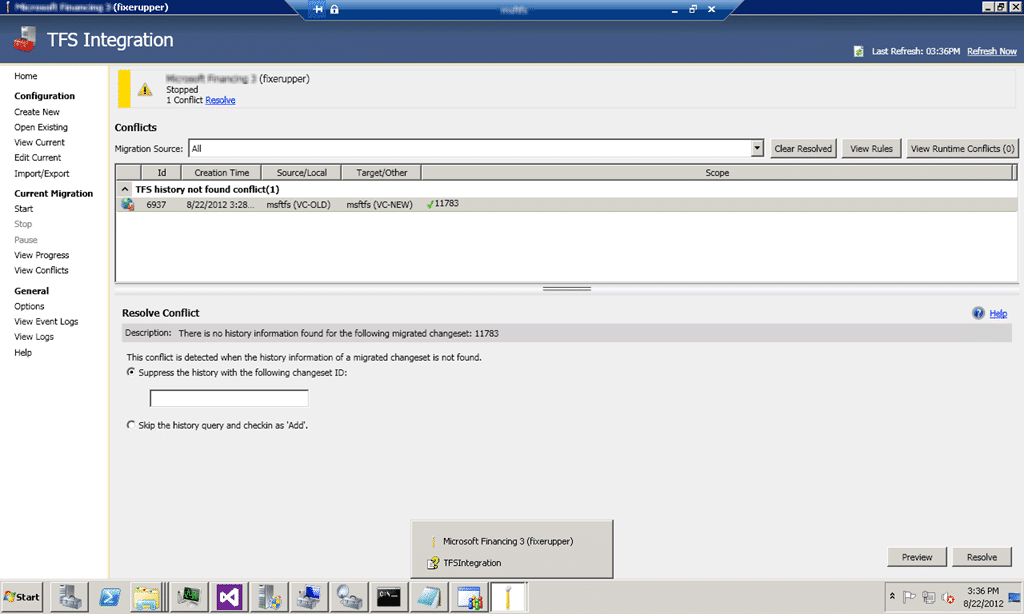
Figure: Arg… nuts…
Now what, it was supposed to start at 11784 (11783+1) but I don’t know what to do with this strange beast… but after some more confab it looks like it is simply the TFS Integration Tools saying “I did not migrate this! Which changeset is it in the target system?”
If that is the case, then the answer is 25308!

Figure: There is no going back now
And it looks like this was the right choice. I have no idea if it will finish the Migration, but I am now on 25308+1 as it has skipped the mirrored changeset.
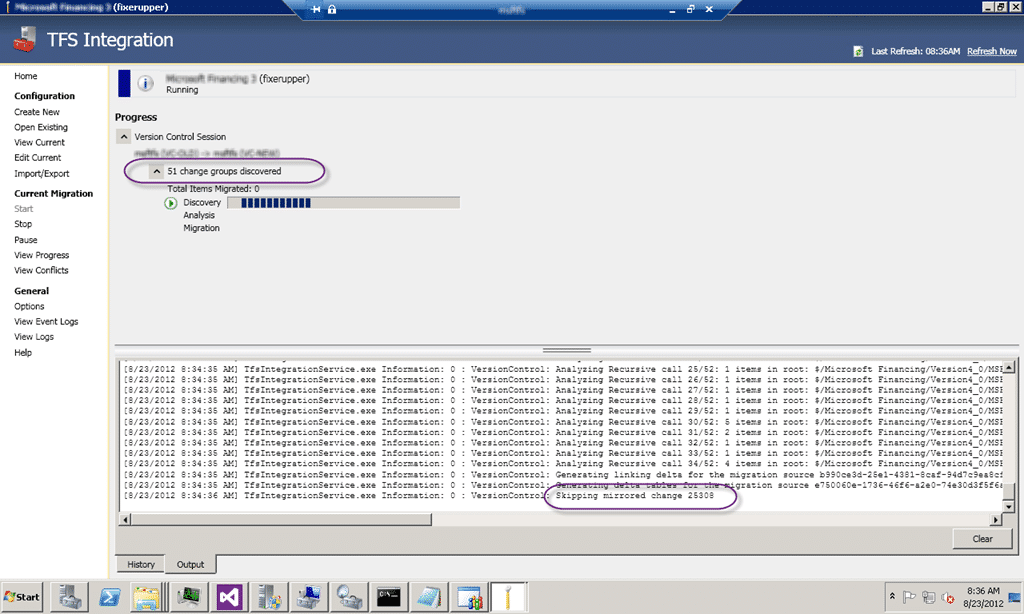
Figure: Woot it is now re-analysing…
Wooohooooo…
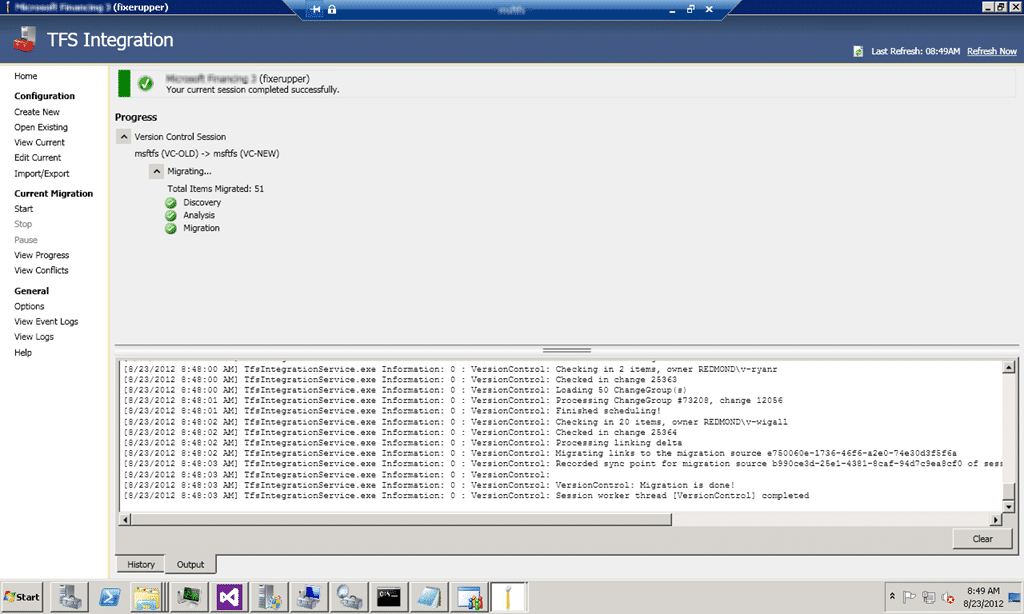
Figure: All of the left over changesets have been migrated
And thus the padawan becomes the master… or at least… erm… more competent!
Smart Classifications
Each classification [Concepts, Categories, & Tags] was assigned using AI-powered semantic analysis and scored across relevance, depth, and alignment. Final decisions? Still human. Always traceable. Hover to see how it applies.
What to read next
TFS Integration Tools - Issue: TF10141 No Files checked in as a result of a TFS check-in failure
Explains how to resolve TFS Integration Tools check-in failures (TF10141), covering conflict identification, manual resolution steps, and …
Subversion to TFS 2010: The migration engine is unable to resolve a conflict where two changes have the same target item
Explains how to resolve case sensitivity conflicts when migrating from Subversion to TFS 2010, including tools and steps to handle duplicate …
Branch madness!
Describes a complex source control issue in TFS involving branch mismanagement, its impact on merging, and step-by-step actions taken to …
TFS Integration Tools - Issue: TF14009: Cannot merge source into target because the target is underneath source
Explains the TF14009 error in TFS when merging a source into a subfolder of itself, its causes during migration, and practical workarounds …
Detecting agile theatre with real delivery signals
Why Most Companies Operating Models Fail in Dynamic Markets
A concise comparison of Predictive and Adaptive Operating Models, explaining why traditional structures fail in dynamic markets and how …
Don’t Manage Dependencies, Remove Them
Explains why dependencies are a sign of poor system design and outlines steps to eliminate them by aligning teams, clarifying ownership, and …
The Estimation Trap: How Tracking Accuracy Undermines Trust, Flow, and Value in Software Delivery
Tracking estimation accuracy in software delivery leads to mistrust, fear, and distorted behaviours. Focus on customer value, flow, and …
Flow of Value vs Flow of Work – Misnomer or Useful Shorthand?
Compares “flow of value” and “flow of work” in Kanban, explaining why only validated outcomes count as value and stressing the need for …
Why Outsourcing DevOps Fails, and How Real Engineering Excellence Starts With Your Team
Avoid DevOps vendor lock-in, discover how true engineering excellence starts with partnership, not outsourcing. Ready to transform your …