I have been working with a number of customers in the last year that want to move to VSTS. While many of them want to do the full Collection import, many do not.
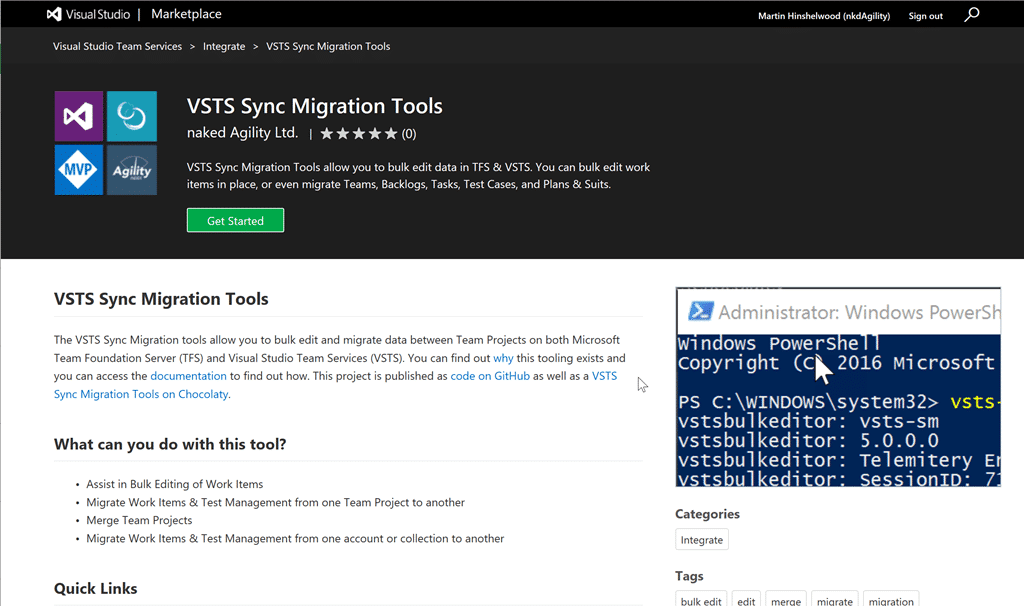
Maybe they have too many Team Projects and they want to consolidate, maybe they just have too much baggage. Whatever the reason I needed to be able to push data around between TFS and VSTS… or even TFS to TFS. That is when the VSTS Sync Migration tools were born.
I initially had but a single goal of migrating work items, but since then it has broadened out to include many different types of data:
- Work Items - I only ever worry about the Tip of Work Item tracking. Apart from the History (comments) field which I do migrate there is really no long term value in it aside from reporting. Since most migration tool mess up the dates the reporting value disappears as does the value in the history. Note: I do have some ideas around this and the new API capabilities since TFS 2012 should allow a higher fidelity of data migration, however I have not yet been unable to talk a customer out of History, and thus I have not had the need to build. So if you want to migrate with history and have the budget…
- Test Plans & Suits - The Test data is a lot trickier, but I managed to get Configurations, Variables, as well as Plans and Suits migrated. There are still some bugs but its way better than having to go make everything from scratch. Note: Test Runs are not currently migrated but I have been noodling on that problem. Again, once someone is desperate enough to give me a reason to go dive in…
- Teams - Really simple, just the team names, but there is scope for a lot more.
- Area & Iteration Paths - Simply replicated the existing layout. I would love to have all of the Team Meta data but again, time…
Since most teams migrate from TFVC to Git in TFS I was not interested in migrating code. There are some really good solutions for that already with Git-TF and Git-TFS being the best. I wanted the tools to be free as well, so while I always work in VSTS I publish the code and releases out to GitHub so others can participate.
You are welcome to Fork the repository on GitHub and I will happily accept pull requests, but know that my MASTER is in VSTS and not GitHub along with the entire automated build and release system. I release to NuGet , Chocolatey , GitHub , and the VSTS Marketplace .
Let me know what you think of the tools…
Smart Classifications
Each classification [Concepts, Categories, & Tags] was assigned using AI-powered semantic analysis and scored across relevance, depth, and alignment. Final decisions? Still human. Always traceable. Hover to see how it applies.
What to read next
VSTS Sync Migration Tool Update and Bugfix
VSTS Sync Migration Tool adds new features and bug fixes for bulk work item updates, project migration, query transfer, and improved …
Mastering Azure DevOps Migration Tools: Your Ultimate Guide to Seamless Migrations
Learn how to use Azure DevOps Migration Tools for efficient, large-scale migrations, including setup, configuration, best practices, and …
Open-source with VSTS or TFS and Github for better DevOps
Learn how to automate code synchronisation between VSTS/TFS and GitHub, enabling seamless DevOps workflows for open-source projects with …
Detecting agile theatre with real delivery signals
Why Most Companies Operating Models Fail in Dynamic Markets
A concise comparison of Predictive and Adaptive Operating Models, explaining why traditional structures fail in dynamic markets and how …
Don’t Manage Dependencies, Remove Them
Explains why dependencies are a sign of poor system design and outlines steps to eliminate them by aligning teams, clarifying ownership, and …
The Estimation Trap: How Tracking Accuracy Undermines Trust, Flow, and Value in Software Delivery
Tracking estimation accuracy in software delivery leads to mistrust, fear, and distorted behaviours. Focus on customer value, flow, and …
Flow of Value vs Flow of Work – Misnomer or Useful Shorthand?
Compares “flow of value” and “flow of work” in Kanban, explaining why only validated outcomes count as value and stressing the need for …
Why Outsourcing DevOps Fails, and How Real Engineering Excellence Starts With Your Team
Avoid DevOps vendor lock-in, discover how true engineering excellence starts with partnership, not outsourcing. Ready to transform your …
Why Outsourcing DevOps Fails, and How Real Engineering Excellence Starts With Your Team
Avoid DevOps vendor lock-in, discover how true engineering excellence starts with partnership, not outsourcing. Ready to transform your …
Why Big Bang Rewrites Fail: How Sustainable Change and Engineering Excellence Transform Legacy Systems
Ditch the Big Bang rewrite. Discover why sustainable, in-place change drives true engineering excellence and lasting transformation in your …
Are We Still Pretending Coding Was the Bottleneck?
AI exposes that coding was never the main bottleneck in software delivery; real constraints are in system flow, team practices, and …
Why Azure DevOps Wins for Governance, Security, and Scale, Right Out of the Box
Unlock seamless governance, security, and scale with Azure DevOps, integrated tooling that lets you deliver value, not just manage …
Should You Use One Project to Rule Them All in Azure DevOps?
Explores when to use a single Azure DevOps project versus multiple projects, detailing impacts on flow, visibility, governance, and team …
Stop Guessing: How to Make Work Visible and Drive Real Improvement with Azure DevOps Flow Metrics
Stop guessing, start making data-driven decisions in Azure DevOps. Discover tools, tips, and insights to make your work visible and your …