If you have multiple service accounts for TFS 2012 and you are in a corporation chances are that two things are true:
- Your accounts are managed out-with your control in Active Directory
- They will expire every 90 days
It is however worth asking your IT department if they can set different expiry rules for service accounts
If these things are true and you work in an awesome origination that his its stuff together you will get an email when they are expiring.
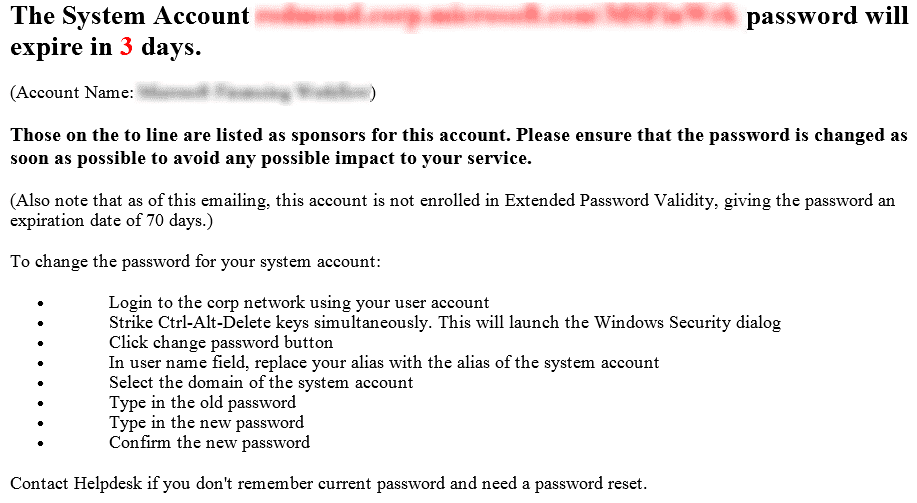
Figure:  Good example, you get notified when
If you are in an organisation that does not… then you will know when your TFS server stops working  . You should review http://msdn.microsoft.com/en-us/library/ms253149 which will show you all of the service accounts that you might want to look at, but there are 4 main deal breakers to look at: TFS Service Account, TFS Reporting Account, TF Build Account, SharePoint Service Accounts, & SharePoint Secure Cache account.
Here is what you need to do:
-
Change the Service Account or Password for Team Foundation Server 1. Open the admin console on the TFS Application Tier by clicking “Start | Team Foundation Server Administration Console”
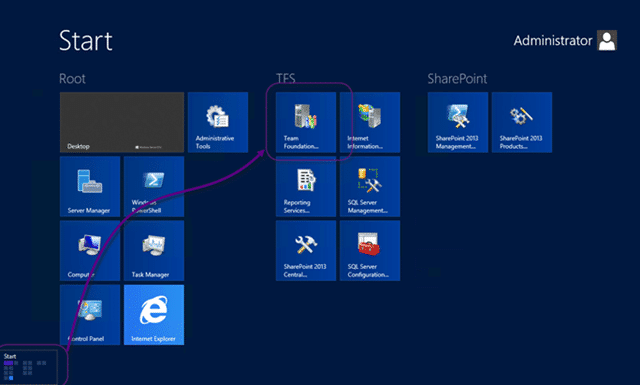
Figure: Opening the Admin Console 2. Go to “Server | Application Tier | Change Account”
[](http://blog.hinshelwood.com/files/2012/08/image123.png)Figure: First change the Service Account 3. Enter the new account details
[](http://blog.hinshelwood.com/files/2012/08/image124.png)Figure: Add the new username and password
-
Change the Service Account or Password for SQL Server Reporting Services
-
Change the account or password for Team Foundation Build
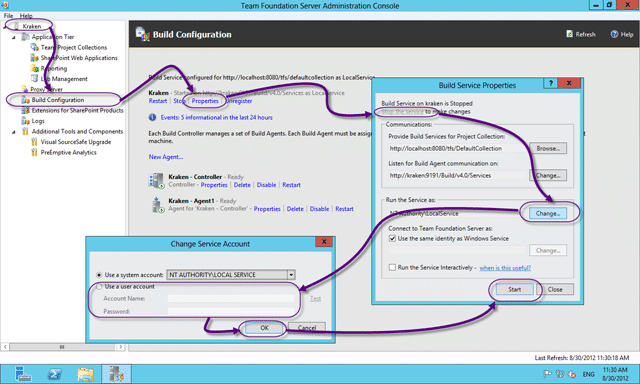
Figure: Update the Team Foundation Build Service Account 1. Open the admin console on the build server by clicking “Start | Team Foundation Server Administration Console” 2. Go to “Server | Build Configuration | Properties | Stop the Service | Change…” 3. Enter the new account details 4. Start the service again
-
Change the account or password for SharePoint Secure Store credentials


You will need to go round all of your Team Foundation Application Tiers, Team Foundation Build, Team Foundation Proxy, System Centre Virtual Machine Manager, SharePoint Farms, SQL Server Instances, SQL Server Reporting Services instances and SQL Server Analysis Services instances and make sure that you have changed all of the accounts.
Phew…
Smart Classifications
Each classification [Concepts, Categories, & Tags] was assigned using AI-powered semantic analysis and scored across relevance, depth, and alignment. Final decisions? Still human. Always traceable. Hover to see how it applies.
What to read next
Getting a service account for VSO with TFS Service Credential Viewer
Learn how to use TFS Service Credential Viewer to generate service accounts for Visual Studio Online, enabling secure, automated access …
Migration from TF Service to TF Server with the TFS Integration Platform
Guide to migrating data from Team Foundation Service to Team Foundation Server using the TFS Integration Platform, including user and work …
Detecting agile theatre with real delivery signals
Why Most Companies Operating Models Fail in Dynamic Markets
A concise comparison of Predictive and Adaptive Operating Models, explaining why traditional structures fail in dynamic markets and how …
Don’t Manage Dependencies, Remove Them
Explains why dependencies are a sign of poor system design and outlines steps to eliminate them by aligning teams, clarifying ownership, and …
The Estimation Trap: How Tracking Accuracy Undermines Trust, Flow, and Value in Software Delivery
Tracking estimation accuracy in software delivery leads to mistrust, fear, and distorted behaviours. Focus on customer value, flow, and …
Flow of Value vs Flow of Work – Misnomer or Useful Shorthand?
Compares “flow of value” and “flow of work” in Kanban, explaining why only validated outcomes count as value and stressing the need for …
Why Outsourcing DevOps Fails, and How Real Engineering Excellence Starts With Your Team
Avoid DevOps vendor lock-in, discover how true engineering excellence starts with partnership, not outsourcing. Ready to transform your …