I have a repository on Codeplex that was the result of the code that I had to write to move my blog from GeeksWithBlogs many moons ago over to Wordpress. This was a very difficult process and recently quite a few of my friends have had to go through it as well. Since GeeksWithBlogs has been sold to ’the man’ many bugs have crept into the system and features are sparse. With the most recent request for access I decided it was time to ditch Codeplex and move to Github. If you have not seen the writing on the wall yet the only Open Source host of any note is GitHub. All my private repositories are in VSTS (http://tfs.visualstudio.com ) but anything Open Source will be moved to GitHub.
Attempt 1: Using the Github Import tool #fail
My first attempt was to use GitHub’s provided tool at https://import.github.com/ to pull my CodePlex repo into GitHub. However the results are not even remotely consistent with what you would want. The GitHub tool effectively just grabs the entire codebase under the team project and shoves it into a Git repo.
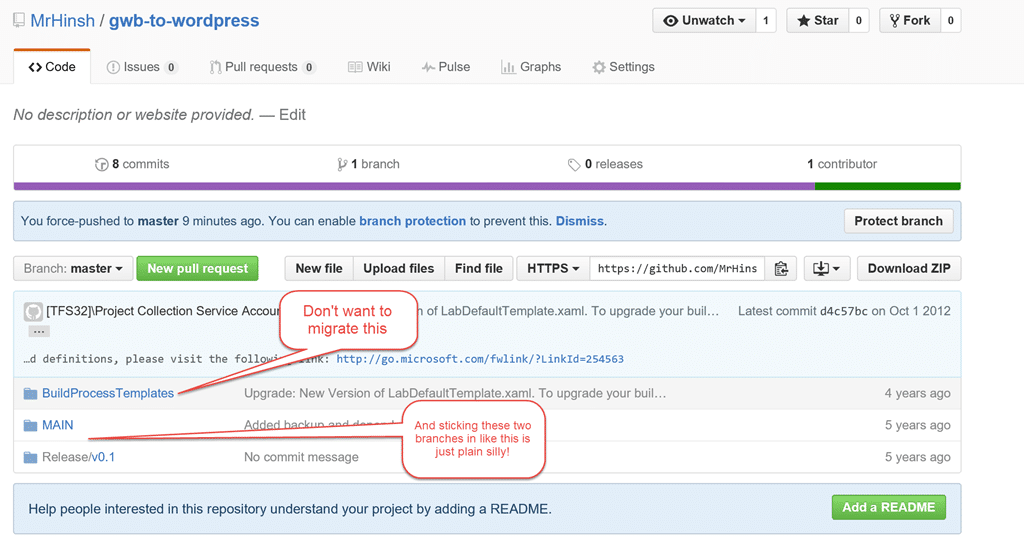
Effectively the GitHub import from TFS is inherently broken and is of no value to anyone. Well, maybe that’s a little harsh. If I was a complete incompetent and had the root of my project in the Team Project folder (not recommended by MSFT) then maybe it would be useful. I can’t imagine that is a common scenario.
Suggestions to GitHub: You should allow me to select a folder for the root of the import… in this case $/TeamProject/MAIN/
I would take a guess that GitHub implemented this import just so that they can say that they support import from TFS and don’t really care if it is usable. It has some fairly fundamental flaws and I would avoid it at all costs.
UPDATE: I have heard from Github support that they consider this result a bug and that Branches should be honoured. Not sure how that works without being able to select your MAIN branch, but they are looking into it.
Attempt 2: Using Git-TF to GitHub
Next up is using Git-TF to do the import. This offers a lot more flexibility as you will see, so that we can import everything in a sane manner.
-
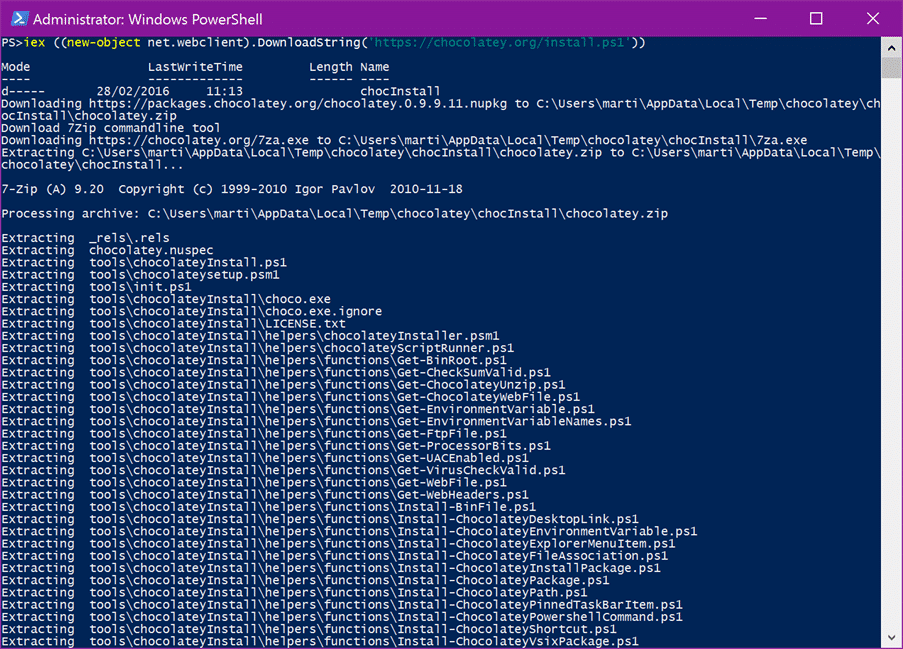
Install Chocolatey - First we need the tools, and the easiest way to get them is with Chocolaty. If you don’t already have Chocolatey installed then head over to https://chocolatey.org/ and get it.
-
Install Git-TF - The easyest way to install Git-TF is to now call “Choco Install Git-TF”. This will go off and install all of the pre-requisites an the main event. Chocolatey is one of my favourite tools and allows you to install almost any development or productivity tool.
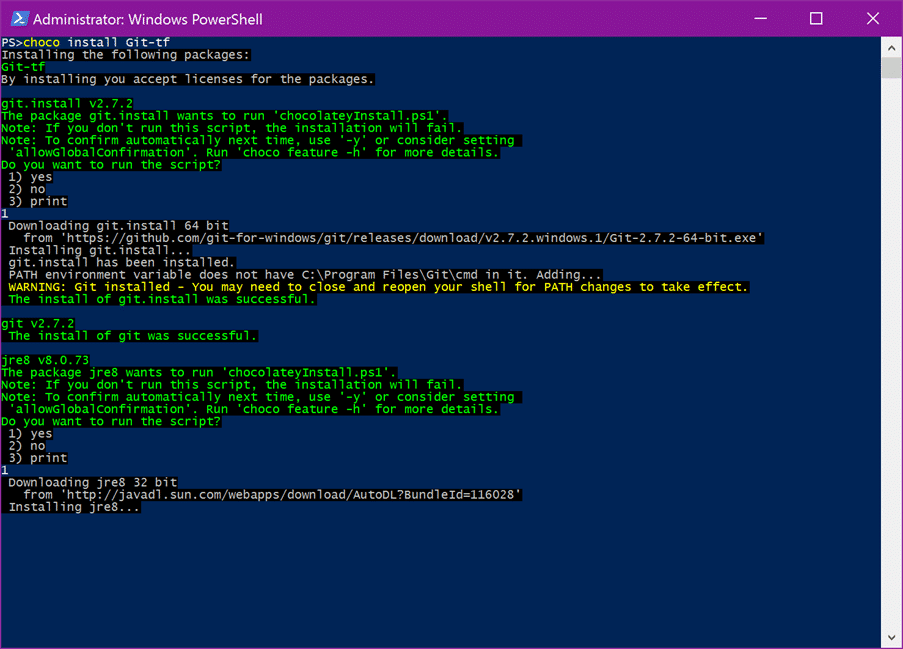
After only a few minutes (depending on your download speed) you will be all up and running, ready with both the Git command line, and Git-TF extensions.
You may find that you get errors when using “git tf”. I am not sure where that rabbit hole goes, but you can use “git-tf” to access the same commands nad they work. I would suggest that this is a bug in the software.
-
Clone your TFVC repository to Git - Now that we have all of the tools installed we need to get our code over. Now as I suggested with “Git-TF” you are able to select the folder that you want to clone. I made a new directory and navigated to that folder in PowerShell.
Git-tf clone https://tfs.codeplex.com:443/tfs/TFS32 $/gwbtowp/MAIN --deepAs soon as you execute the command it will clone MAIN and create a new Git Repository in the current location with the same name as the folder. In this case I get a “MAIN”. The “–deep” command will make sure that all of the history is taken, but watch out as this may take some time to complete if you have a large amount of history. Not perfect but it will work for me for now.
If you need to make changes to the repository you can do it now and checkin… after that all we have to do is push the changes back to GitHub. For this I am going to add an origin and then push to that location. -
Add Github remote and Push – Now that we have a copy of the code locally we can easily add a second remote and deliberately push our new master branch to GitHub.
Git remote add github https://github.com/MrHinsh/gwb-to-wordpress.git Git push -u github master { .post-img } That gets all of your code over onto GitHub but what about other things… -
Moving your Wiki Pages - You might also have one or more Wiki pages that you want to migrate. Unfortunately Codeplex uses HTML and Github uses Markdown.
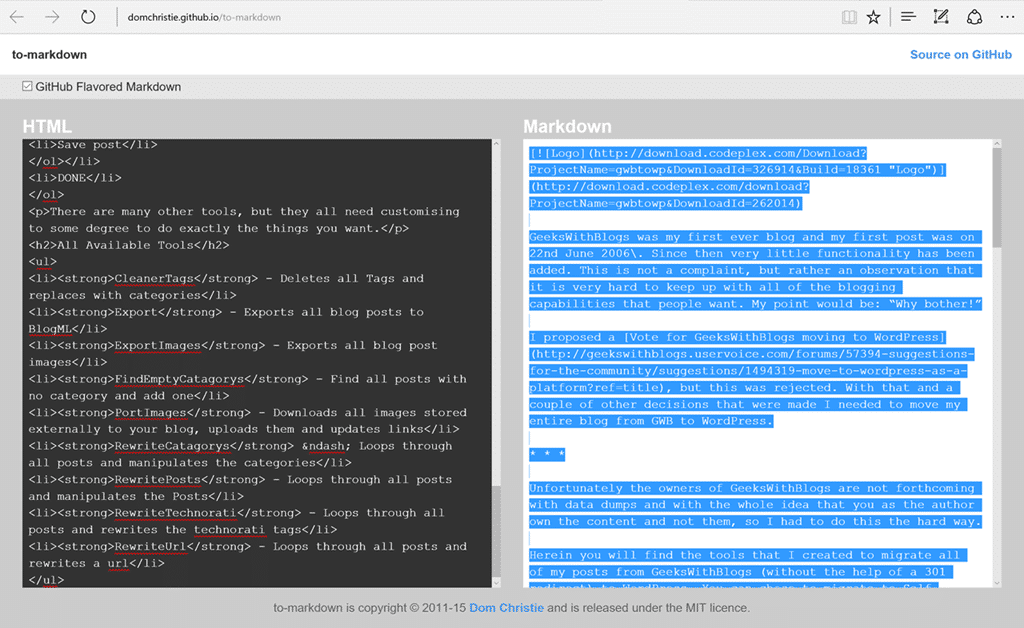
Luckily I found a rather nice converter for HTML to Markdown that let me do this easily. Very few tweeks later and I had my markdown page ready.
And that’t it, you might want to look at migrating other stuff like Releases and Issues, but really this is good enough for most people. Once you are happy you can go mark your CodePlex project as migrated..
Check out my migration on https://github.com/MrHinsh/gwb-to-wordpress
Smart Classifications
Each classification [Concepts, Categories, & Tags] was assigned using AI-powered semantic analysis and scored across relevance, depth, and alignment. Final decisions? Still human. Always traceable. Hover to see how it applies.
What to read next
Migrating source from Perforce to Git on VSO
Step-by-step guide to migrating source code from Perforce to Git on VSO, covering repository setup, dependency management, build processes, …
Open-source with VSTS or TFS and Github for better DevOps
Learn how to automate code synchronisation between VSTS/TFS and GitHub, enabling seamless DevOps workflows for open-source projects with …
Migrating source code with history to TFS 2012 with Git-Tf
Guide to migrating source code and preserving history from one Team Foundation Server (TFS) 2012 instance to another using Git-Tf and Git …
Configuring a PowerShell Adapter for the TFS Integration Platform
Explains how to set up and configure a PowerShell adapter in the TFS Integration Platform to automate source control migrations, with custom …
Mastering Azure DevOps Migration: A Step-by-Step Guide for Seamless Project Transfers
Learn how to migrate Azure DevOps projects step by step, including tool setup, configuration, handling common issues, and ensuring a smooth …
Detecting agile theatre with real delivery signals
Why Most Companies Operating Models Fail in Dynamic Markets
A concise comparison of Predictive and Adaptive Operating Models, explaining why traditional structures fail in dynamic markets and how …
Don’t Manage Dependencies, Remove Them
Explains why dependencies are a sign of poor system design and outlines steps to eliminate them by aligning teams, clarifying ownership, and …
The Estimation Trap: How Tracking Accuracy Undermines Trust, Flow, and Value in Software Delivery
Tracking estimation accuracy in software delivery leads to mistrust, fear, and distorted behaviours. Focus on customer value, flow, and …
Flow of Value vs Flow of Work – Misnomer or Useful Shorthand?
Compares “flow of value” and “flow of work” in Kanban, explaining why only validated outcomes count as value and stressing the need for …
Why Outsourcing DevOps Fails, and How Real Engineering Excellence Starts With Your Team
Avoid DevOps vendor lock-in, discover how true engineering excellence starts with partnership, not outsourcing. Ready to transform your …
Detecting agile theatre with real delivery signals
Don’t Manage Dependencies, Remove Them
Explains why dependencies are a sign of poor system design and outlines steps to eliminate them by aligning teams, clarifying ownership, and …
The Estimation Trap: How Tracking Accuracy Undermines Trust, Flow, and Value in Software Delivery
Tracking estimation accuracy in software delivery leads to mistrust, fear, and distorted behaviours. Focus on customer value, flow, and …
Flow of Value vs Flow of Work – Misnomer or Useful Shorthand?
Compares “flow of value” and “flow of work” in Kanban, explaining why only validated outcomes count as value and stressing the need for …
Why Outsourcing DevOps Fails, and How Real Engineering Excellence Starts With Your Team
Avoid DevOps vendor lock-in, discover how true engineering excellence starts with partnership, not outsourcing. Ready to transform your …
Estimating Better in an Overloaded System Is a Poor Man’s Strategy
High work in progress (WIP) causes delays and unpredictability; improving estimates won’t help. Limiting WIP and focusing on flow is key to …