In the last wave of updates to Team Foundation Service the product team has added a new “staging location” and we now have an un-versioned repository in TFS 2012.
Why do you care you might ask… well I will tell you.
Why we needed an un-versioned repository in TFS 2012
Usually we store our build drops on a network share. As part of a build you have always (with Team Foundation Service) been able to store those build drops inside of your Version Control repository… and this has been both a blessing and a curse.
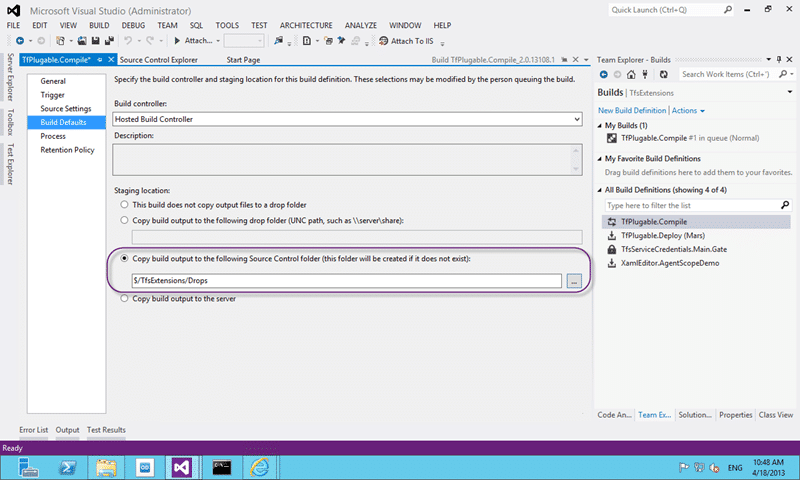
Figure: Copy build output to the following source control folder.
It allowed us to remove the dependency on a network share to store our drop files and more importantly it results in our drop folders being backed up with the same rigor as TFS.
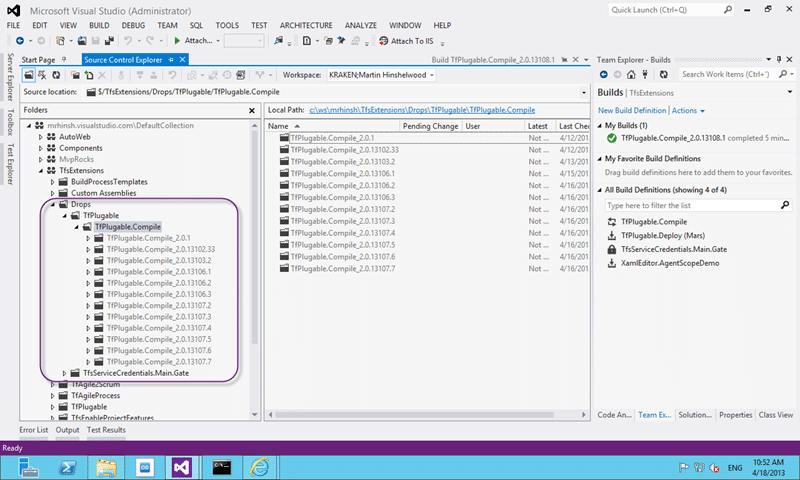
Figure: Drops in version control
Unfortunately it also meant that we clogged up our version control repository with files and sometimes big files. When files are added to a versioned repository there are a lot of computing power used to figure out versions and deltas and other need things, but for a drop folder we don’t need those.
Worse when you want to remove old stuff you need to call a “destroy ” command to be sure that you don’t leave all of those files taking up space forever.
Using the new un-versioned repository in TFS 2012
To the rescue comes an un-versioned repository for storing your build drops.
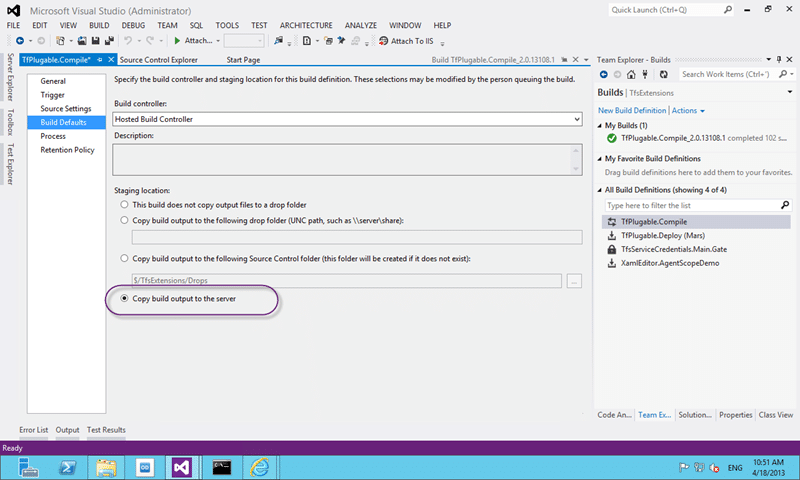
Figure: Copy build output to the server
By editing your build definition and changing the staging location for your build defaults to the new option you can remove all of your files from Version Control and have them stored somewhere else. Select “Copy build output to the server” to enable this feature.
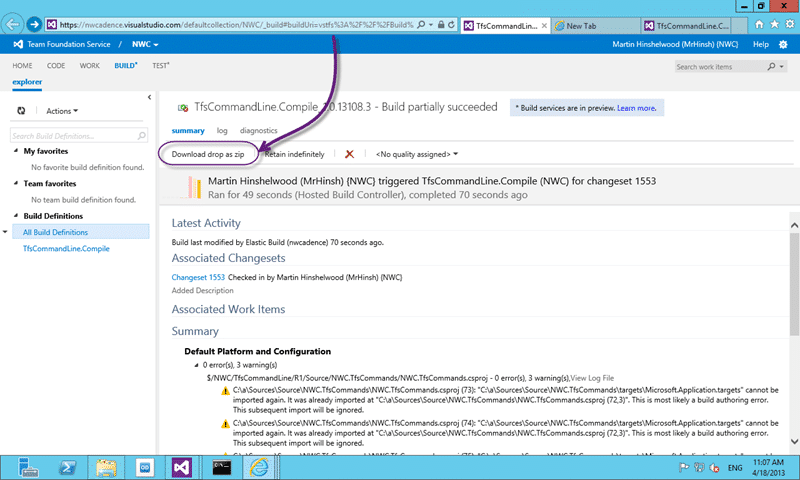
Figure: Download from un-versioned repository in TFS 2012
Now when we click “Open Drop Folder” we get redirected to the build page in Team Web Access and are presented with a “Download drop as zip”.
Currently there is no ‘browser’ for the files that are stored in the un-versioned repository in TFS 2012 but I would expect one to be fourth coming. This is however an REST API that you can use to access not just zips but the individual files as well. More to come on that…. but to fill in the gap:
Cleaning up after the versioned build repository in TFS 2012
You will likely want to remove all of the old files that you have been pumping into version control and the only way to do that is to use the Destroy command:
tf destroy $/TfsExtensions/Drops /collection:https://mrhinsh.visualstudio.com/defaultcollection
This will completely remove all of the files from source control and eradicate them from history.
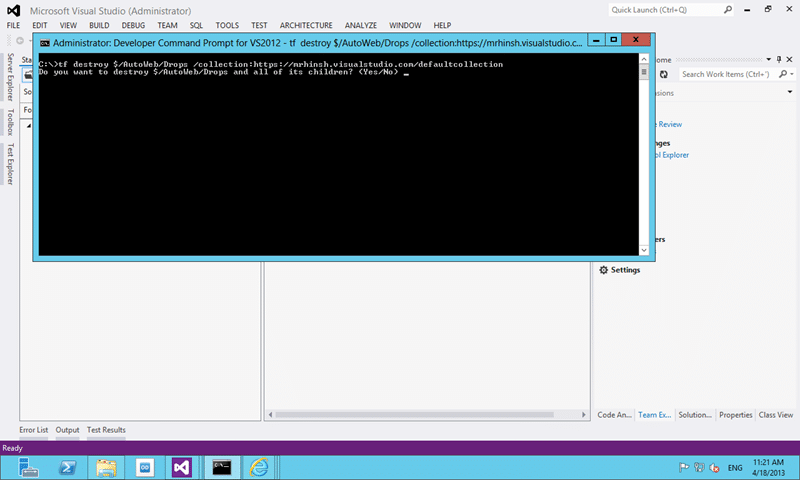
Figure: Destroy a folder from TFS version control
While heavy handed it does clean up things nicely.
Conclusion
We can only hope that this will be a feature of dev12! And what else might the product team decide to do with an un-versioned store? Symbols; Nuget Packages… the options are endless…
What to read next
Upgrade to Visual Studio 11 Team Foundation Service - Done
Explains migrating source control and work item tracking to Visual Studio 11 Team Foundation Service, highlighting cloud benefits, …
Improvements in Visual Studio ALM from the ALM Summit
Highlights new Visual Studio ALM features from the ALM Summit, including Git support, web-based test management, Kanban swim lanes, and …
Create a Build vNext build definition
Step-by-step guide to creating a Build vNext build definition in Visual Studio Online, covering task setup, options, triggers, variables, …
What's new in Visual Studio 2013 Team Foundation Server Preview
Highlights new features in Visual Studio 2013 Team Foundation Server, including agile portfolio management, enhanced team collaboration, and …
Maven release prepare fails with detected changes in Jenkins
Explains how to fix Maven release prepare failures in Jenkins with TFS by using .tfignore files to exclude generated files like …
Detecting agile theatre with real delivery signals
Why Most Companies Operating Models Fail in Dynamic Markets
A concise comparison of Predictive and Adaptive Operating Models, explaining why traditional structures fail in dynamic markets and how …
Don’t Manage Dependencies, Remove Them
Explains why dependencies are a sign of poor system design and outlines steps to eliminate them by aligning teams, clarifying ownership, and …
The Estimation Trap: How Tracking Accuracy Undermines Trust, Flow, and Value in Software Delivery
Tracking estimation accuracy in software delivery leads to mistrust, fear, and distorted behaviours. Focus on customer value, flow, and …
Flow of Value vs Flow of Work – Misnomer or Useful Shorthand?
Compares “flow of value” and “flow of work” in Kanban, explaining why only validated outcomes count as value and stressing the need for …
Why Outsourcing DevOps Fails, and How Real Engineering Excellence Starts With Your Team
Avoid DevOps vendor lock-in, discover how true engineering excellence starts with partnership, not outsourcing. Ready to transform your …