Now that you have finished moving your Domain Controller Azure VM to a Virtual Network ] you need to be able to join a machine to your azure hosted domain controller.
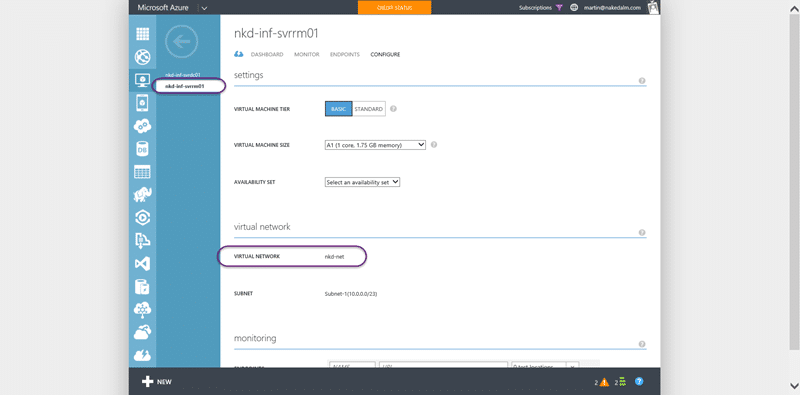
You need to make sure that you have your machine within the correct virtual network, and move your Azure VM to a Virtual Network if necessary. On top of that you need to have the your domains DNS server configured for your virtual network so that the guest machine knows where to look for the domain.
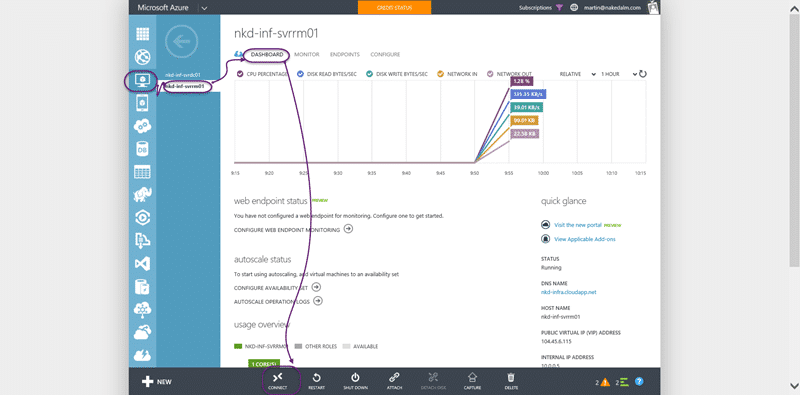
If everything is in order you should connect to the VM you want to join to the domain that you have created. On the Dashboard tab of the VM you should see a ‘connect’ button at the bottom of the screen. Clicking it will launch Remote Desktop and connect it to the server.
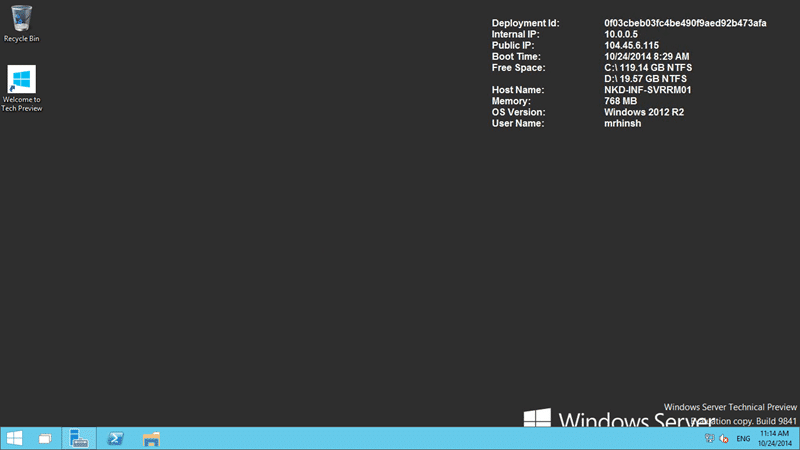
Once on the server the DBS setting should be correctly configured automatically as part of the DHCP for the Virtual Network that we configured before. This should make it fairly simple to join the machine to the domain. This is no different from local domains.
Note What I really want is to be able to join these machines to AAD so that I do not have to maintain a separate set of local domain controllers for this purpose. For me it gets a little more complex as I have no physical servers, only Azure and Office 365.
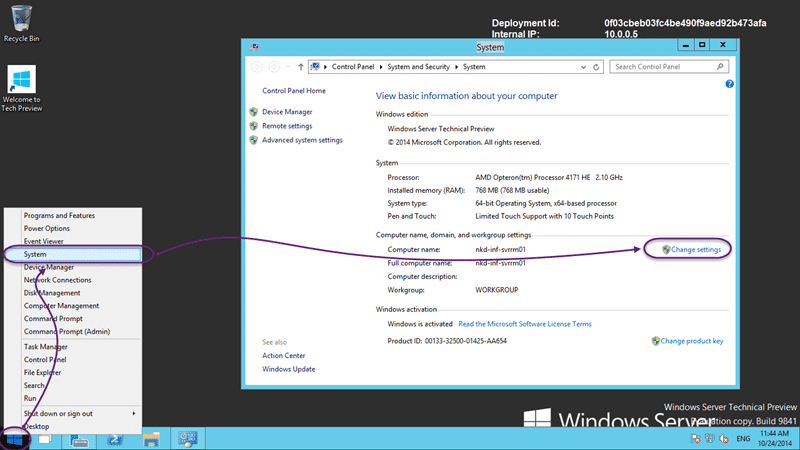
If you right-click on the start button and select “System” you will see the current machine name and domain affiliation. Most likely it will be “Workshop”. To make the change we need to click “Change Settings” to open the dialogs.
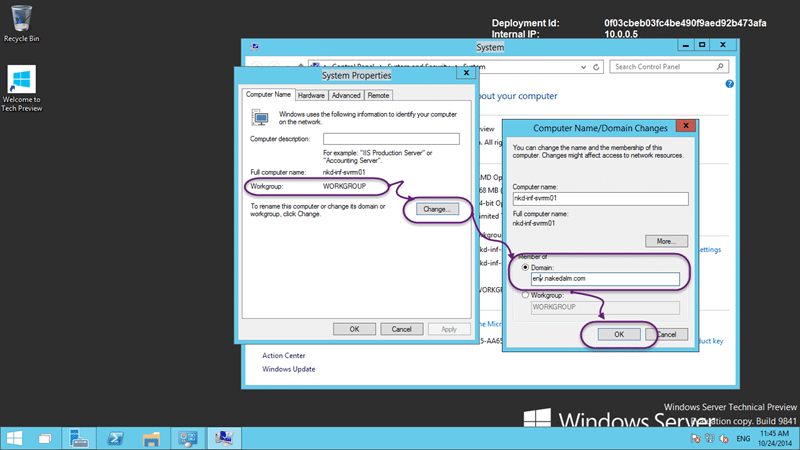
Set the radio-button to “Domain” and enter the name of the domain that you want to join. As I setup “env.nakedalmweb.wpengine.com” that is what I need to enter. Once you click “OK” you will be asked for a domain administrator account to join the machine.
After that a simple reboot will allow you to login to the domain with any of the domain accounts that you have configured.
Smart Classifications
Each classification [Concepts, Categories, & Tags] was assigned using AI-powered semantic analysis and scored across relevance, depth, and alignment. Final decisions? Still human. Always traceable. Hover to see how it applies.
What to read next
Configuring a DC in Azure for AAD integrated Release Management
Step-by-step guide to setting up a Domain Controller in Azure for Active Directory integration, including VM creation, configuration, and …
Detecting agile theatre with real delivery signals
Why Most Companies Operating Models Fail in Dynamic Markets
A concise comparison of Predictive and Adaptive Operating Models, explaining why traditional structures fail in dynamic markets and how …
Don’t Manage Dependencies, Remove Them
Explains why dependencies are a sign of poor system design and outlines steps to eliminate them by aligning teams, clarifying ownership, and …
The Estimation Trap: How Tracking Accuracy Undermines Trust, Flow, and Value in Software Delivery
Tracking estimation accuracy in software delivery leads to mistrust, fear, and distorted behaviours. Focus on customer value, flow, and …
Flow of Value vs Flow of Work – Misnomer or Useful Shorthand?
Compares “flow of value” and “flow of work” in Kanban, explaining why only validated outcomes count as value and stressing the need for …
Why Outsourcing DevOps Fails, and How Real Engineering Excellence Starts With Your Team
Avoid DevOps vendor lock-in, discover how true engineering excellence starts with partnership, not outsourcing. Ready to transform your …